Promote a working skill to something a client owns
The reusable ship-it procedure: connectors, secrets, schedules, and a cloud routine that survives a closed laptop. Every later build points here.
💡 Dotted words are definitions
Underlined terms have plain-English definitions. Hover on desktop, tap on mobile.
✅ Quizzes keep score
Each section ends with a check. Your teacher-agent takes follow-up questions any time.
From skill to loop to routine: the productization ladder
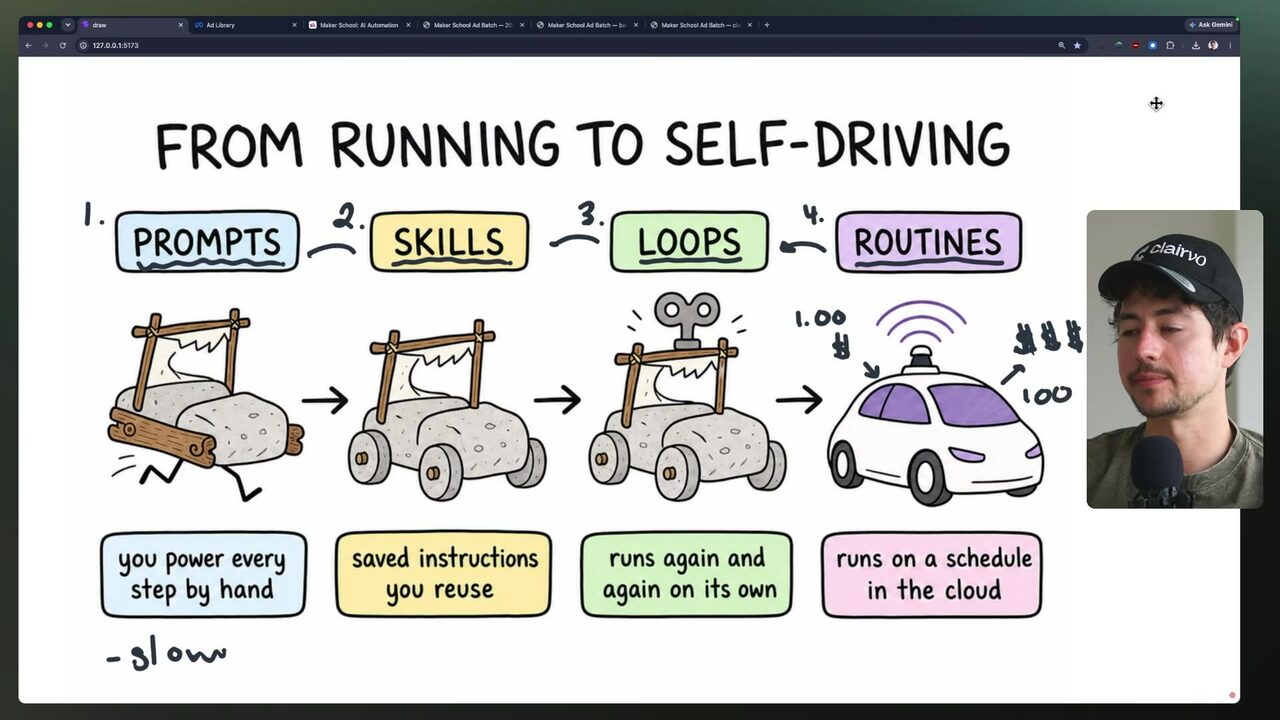
You already have a working skill — a reusable instruction set that generates ad creative on demand. The next step is to promote it up the ladder: a loop runs on your local machine on a schedule, while a routine runs in the cloud on a schedule and dumps output to a company-accessible folder 1:48:38. The hand-drawn diagram captures the evolution from prompts to skills to loops to routines — a cart becoming a self-driving car 1:49:00. For your agency, this is the difference between a service you perform and an asset the client owns.
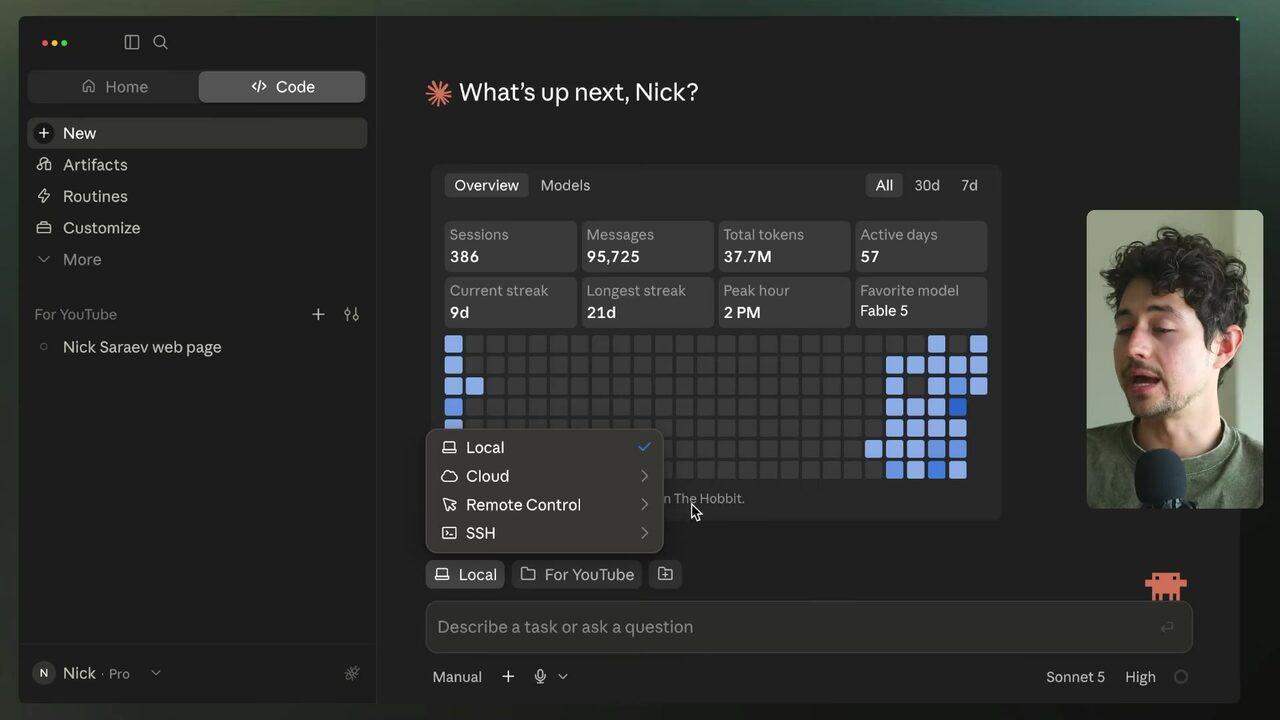
The connection-mode selector in Claude Code's dashboard shows the three execution contexts: Local, Cloud, and Remote Control. Routines live in Cloud mode, which is why they survive a closed laptop 0:24:31. When you convert a skill to a loop, you give the model more autonomy — it passes its own previous outputs back through itself to create time-based variation, and Claude uses cron to schedule the daily run 1:47:06.
What distinguishes a routine from a loop?
Wiring Google Drive and GitHub into a routine
To make a routine deliver to a shared folder, you first connect the connectors. The speaker creates a private GitHub repo to hold the routine's code and configuration 1:50:10. Then he connects Google Drive via the connectors settings, authorizes with his Google account, and shares the target folder with anyone with the link 1:51:42. The routine detail page shows the two connectors — Google Drive and Claude_Code_Remote — plus the GitHub repo and the schedule 1:53:13.
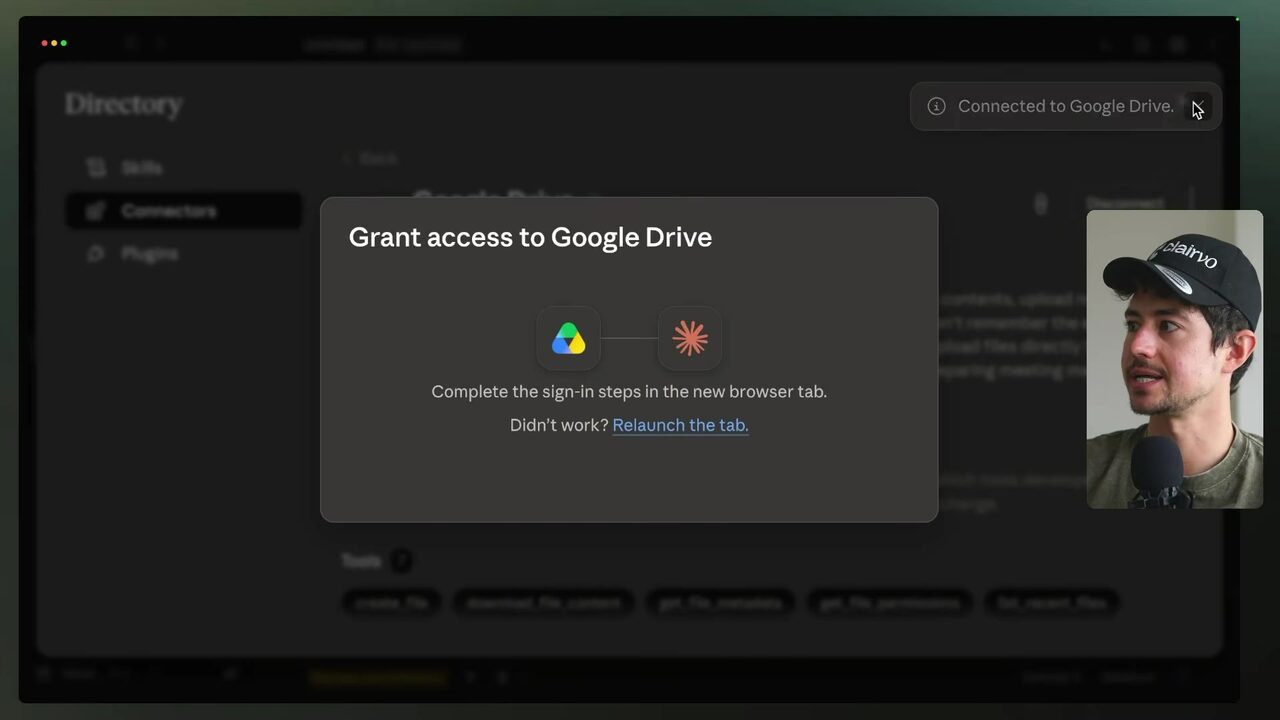
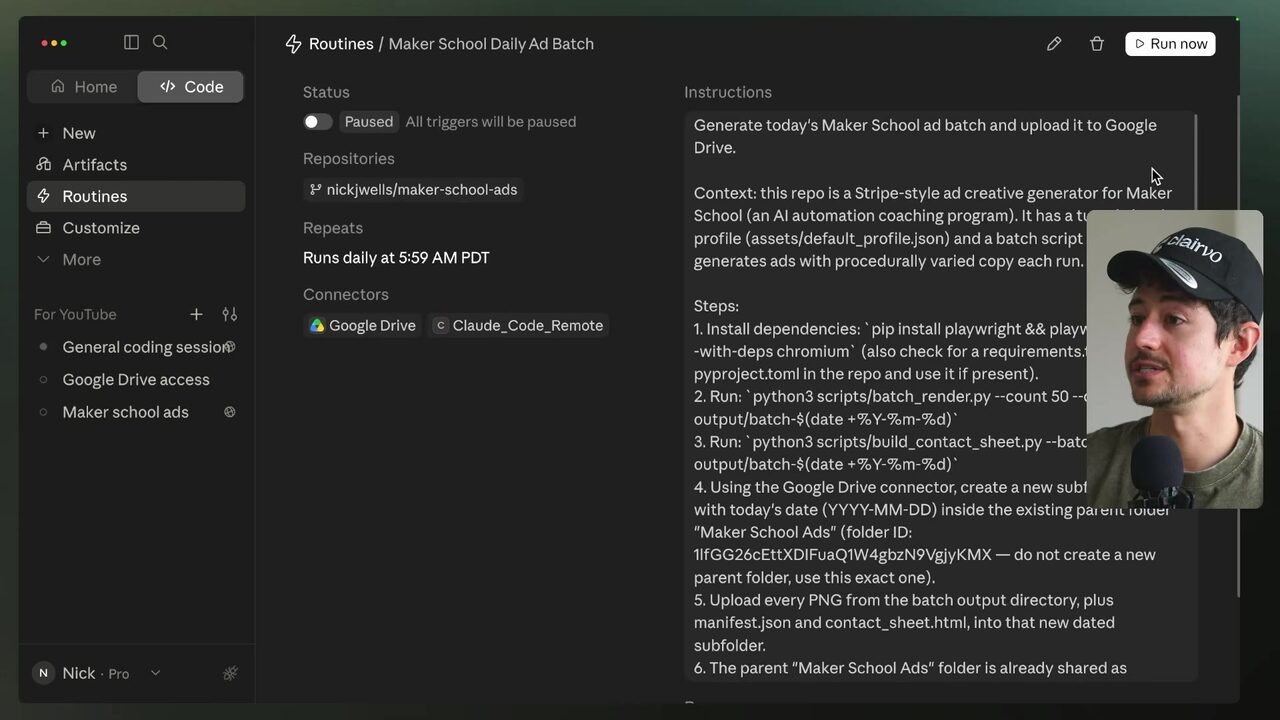
Notice the routine is created in a paused/testing state before it goes live. This is the pattern you'll replicate for clients: connect the storage, point the routine at a repo, and test before scheduling.
What role does the GitHub repo play in the routine?
Dated subfolders and shared Drive output
Once the routine runs, it generates ads and uploads them to a dated subfolder in Google Drive, making them accessible to team members via the shared link 1:54:45. The Drive view shows the uploaded ad image ad_01.png alongside other ad PNGs 1:54:39. This is the moment the skill becomes a client-owned asset: the output lands in a folder the client can see, without you being online.
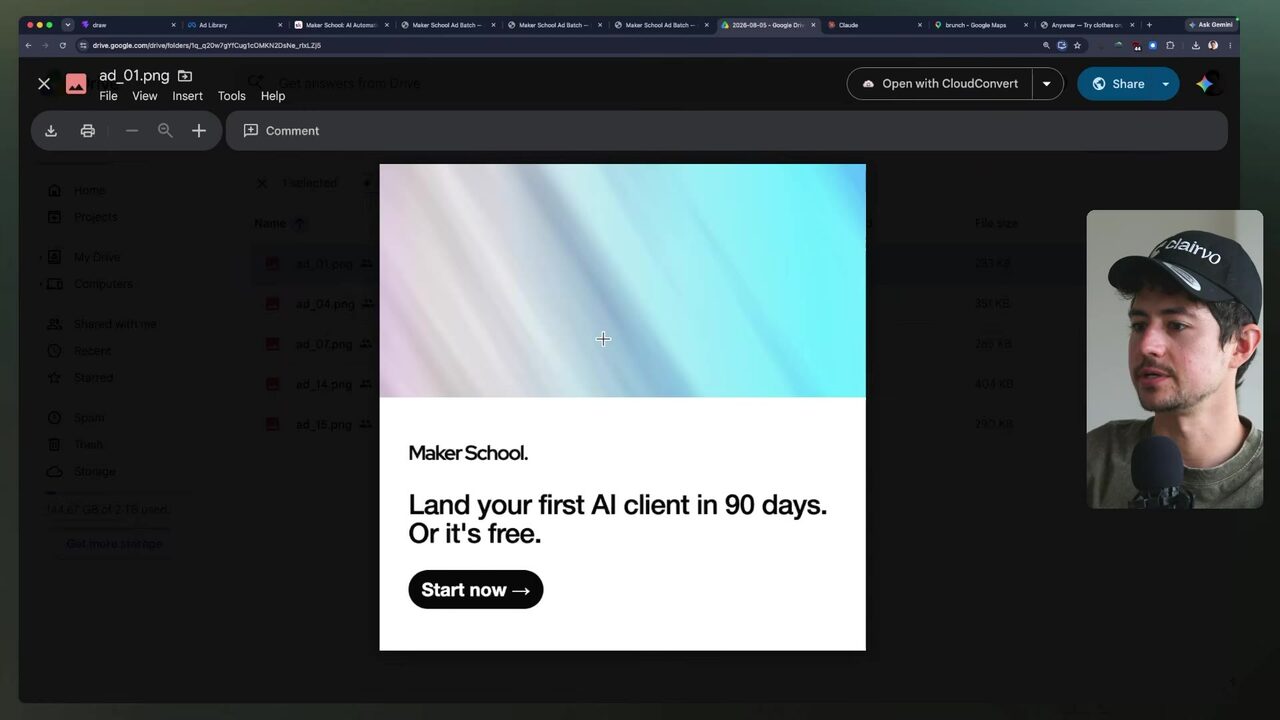
For your agency, this is the deliverable: a shared Drive folder that fills itself on schedule. The client owns the folder, the routine, and the output — you own the setup.
What happens when the routine runs successfully?
Product Ad Gen: a second routine from the same template
The same pattern scales to a different product line. The speaker asks Claude to turn "product ad genen" into a routine mirroring the Maker School ads system, generating a Google Drive folder with a dated subfolder, and querying the existing routine for structure 2:28:41. He adds a new API key to the routine's default environment in ENV format so it applies to all new sessions 2:27:00. The resulting routine is active, scheduled daily at 5:59 AM PDT, with Google Drive and manual, API, and webhook run options 2:31:22.
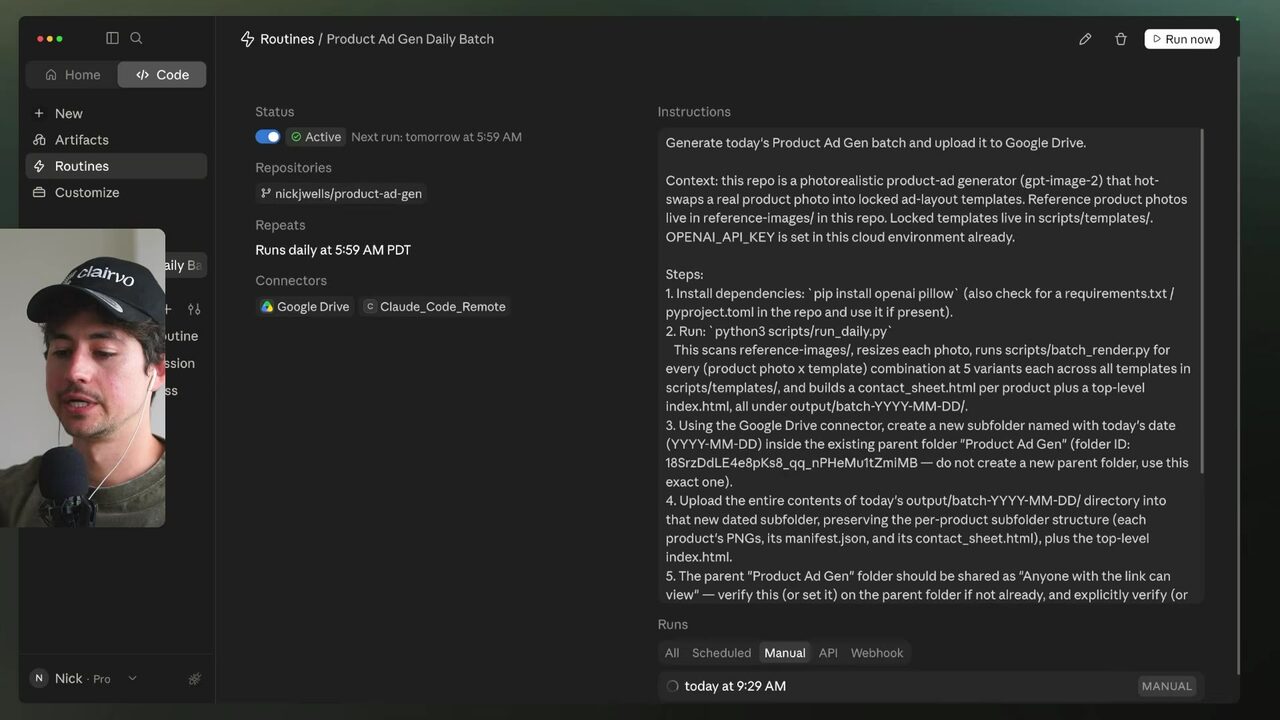
The environment variable holds the API key without exposing it to the model — Claude only knows the variable name, preventing prompt-injection leaks 2:13:10. This is the security pattern you'll reuse for every client routine.
Why does the routine need an API key in the default environment?
Productizing the full pipeline: the client-owned daily batch
The UGC video routine is the culmination: it lists files in the asset drive folder, determines which are new, builds the cross of every influencer times product, generates a hero frame for each pairing, writes 10 ad-copy candidates, selects the best, determines video duration by word count, generates three video candidates per pairing, and inserts the results into the Google Drive link 3:09:15. The routine appears as "UGC video ads daily batch" with Google Drive folder-creation and asset-upload instructions 3:09:44. The speaker claims this pipeline runs for cents on the dollar every day, cheaper than a production studio 3:10:16.
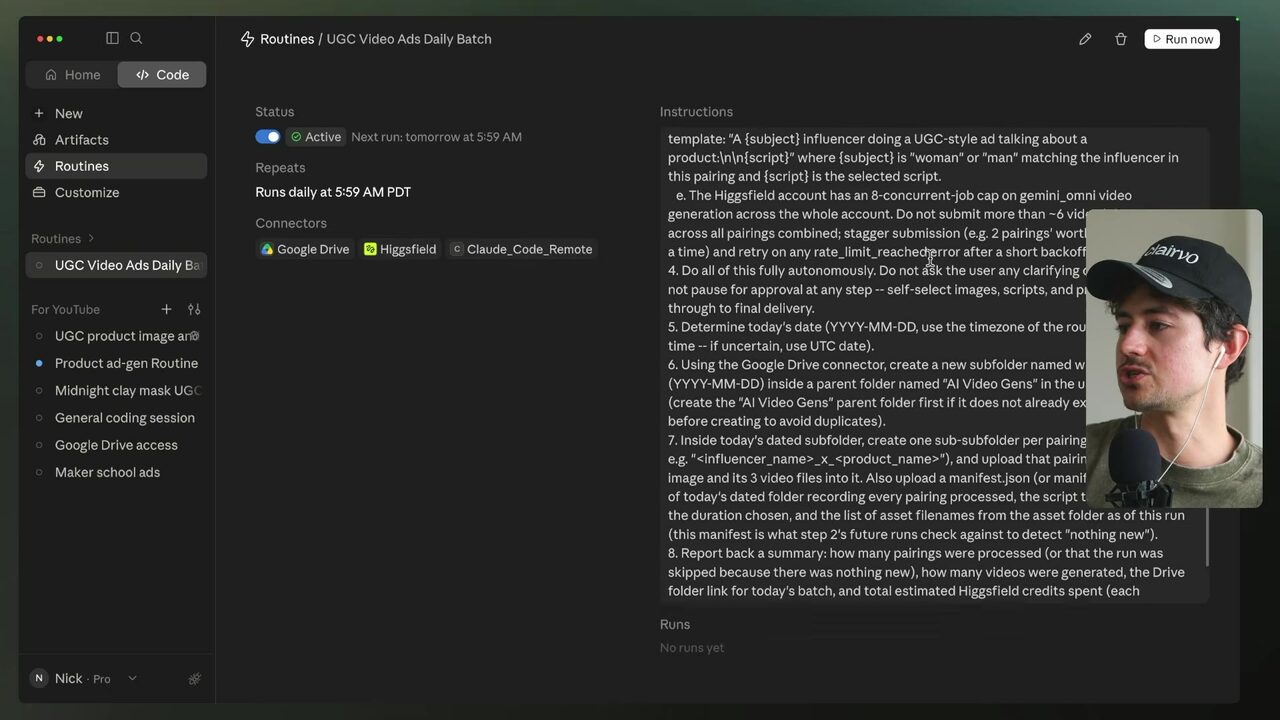
Your rule for client work: any skill that runs more than once a week becomes a routine with a Drive connector and a dated subfolder. That's the win — the client owns the output, the schedule, and the folder, and it runs without your laptop.
What is the key benefit of converting a skill to a routine for a client?
Your score
One-sentence summary
Convert a working skill into a cloud routine that delivers to shared Drive, so the client owns the output and it runs without your laptop.
Glossary
Every term marked with a dotted underline above. Skim it, or search the page for a word.
Ideas worth stealing into your own setup
Proposals, not done deals: nothing gets added to your system until you choose it.
01 Daily ad batch as a productized service
- Saw
- The Maker School routine runs daily at 5:59 AM and delivers to a shared Drive folder.
- Why
- You can charge a monthly retainer for a client's daily ad batch, with the routine and Drive folder as the deliverable.
- Form
- Set up a routine per client with a Drive connector and a dated subfolder, and hand over the folder link.
- Source
- 1:53:13 in the video
02 UGC video routine for client product launches
- Saw
- The UGC video routine crosses influencers and products, generates hero frames and scripts, and delivers to Drive.
- Why
- This replaces a production studio for client UGC ads, giving you a scalable, low-cost creative pipeline.
- Form
- Onboard each client's product images and influencer personas into an asset folder, then run the routine weekly.
- Source
- 3:09:44 in the video
03 Shared Drive folder as the client handoff
- Saw
- The routine uploads ad PNGs to a dated subfolder in Google Drive, visible to the client.
- Why
- The client owns the folder and the output, making the routine a tangible asset they can review and download.
- Form
- Create a shared Drive folder per client, connect it as a routine connector, and share the link with the client.
- Source
- 1:54:39 in the video