Fuzzy variables that read as human
AI-written personalization slots inside a human-written template, previewed per recipient, then automated as a daily routine.
💡 Dotted words are definitions
Underlined terms have plain-English definitions. Hover on desktop, tap on mobile.
✅ Quizzes keep score
Each section ends with a check. Your teacher-agent takes follow-up questions any time.
Two campaigns, one cheap fix
Two assets anchor this play: a newsletter campaign that uses AI to fill variables, and an outbound email campaign that uses AI to add icebreaker snippets 3:11:47. The speaker claims basic AI personalization can make campaigns work 5% better immediately, and that the token cost of personalizing emails is "way lower" than the revenue lost by not personalizing 3:11:47. All the demo data comes from his own communities: Maker School and Maker Zero, his free community 3:11:47.
For cold outreach, he scrapes databases such as LinkedIn Sales Navigator, yielding roughly 100 records with email addresses, names, and a companyDescription column — entries like "Waltz is an e-commerce company that helps brands grow revenue on Amazon" and "Advertwise is a digital marketing agency" 3:13:18.
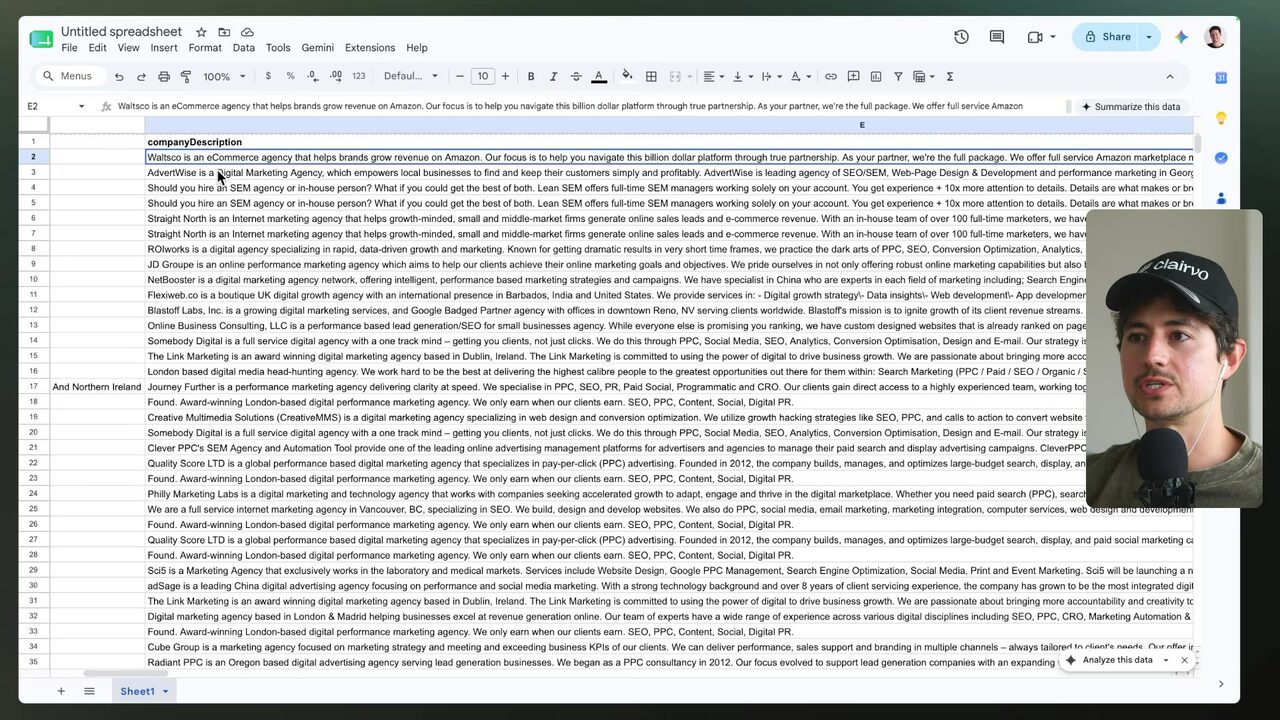
The contrast is stark: a generic "Hello, I would like to sell you something" versus "Hey Walt, I love Waltzco and I've been following you guys..." — the better performer is obvious, and AI enables that degree of personalization at scale 3:13:18.
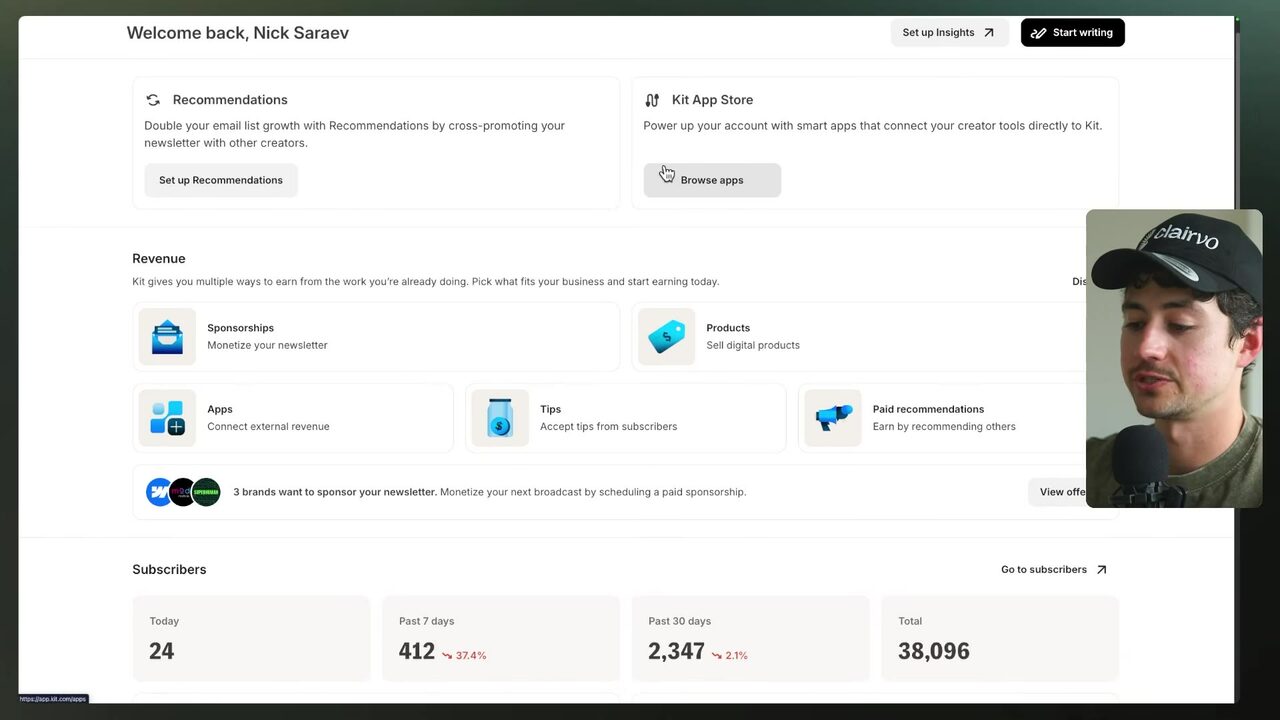
On the newsletter side, he uses Kit, a straightforward email newsletter platform with no affiliation, though users include Matthew McConaughey (raw transcript: 'Matthew McConna') and Ali Abdaal (raw: 'Ali Abdal') 3:15:15. The dashboard shows 24 new subscribers today, 412 in 7 days, 2,347 in 30 days, and 38,096 total 3:15:50.
Growth flows from LinkedIn and Instagram: on Instagram, he publishes videos listing tools and asks viewers to comment "code" to get a free open-source tool, then starts a DM flow where the asset is exchanged for an email address 3:16:30. Yet the Maker School welcome email is a mass template with zero personalization beyond the greeting: "Hi, welcome to Maker School. This won't be one of those bloated stuffy onboarding emails..." 3:17:30.
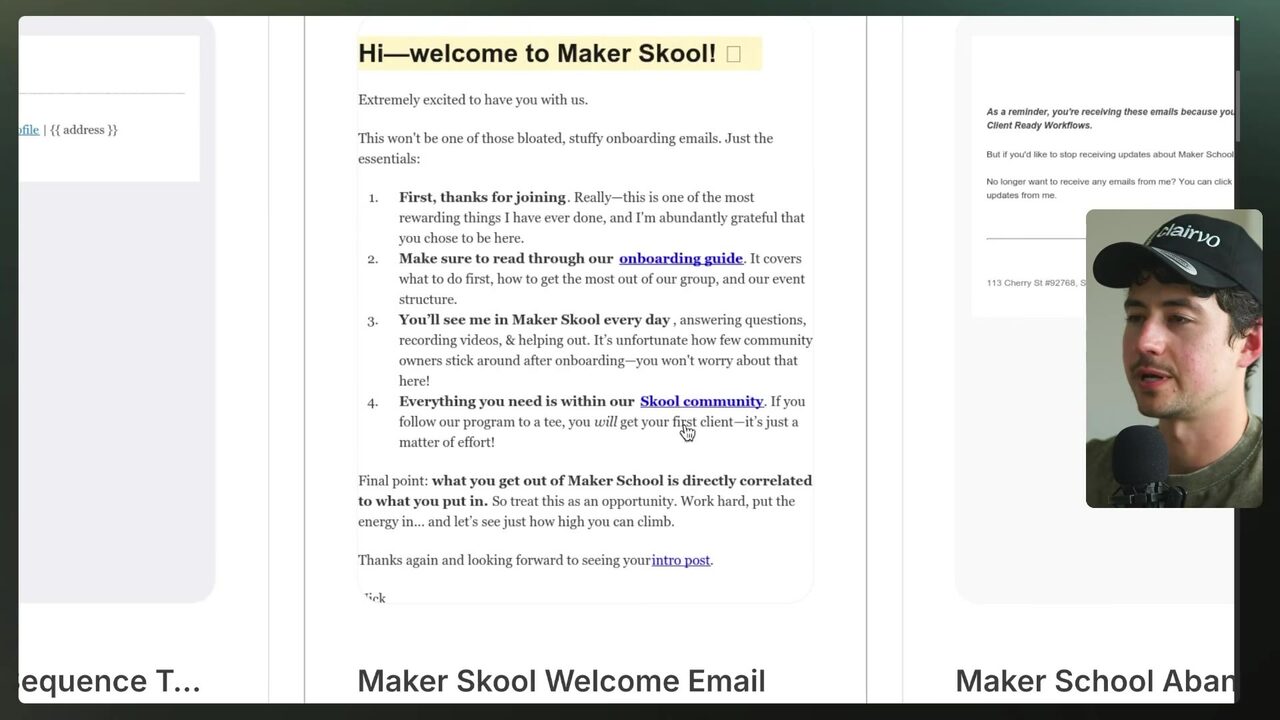
The setup: the speaker claims Maker School did $280,000 in sales last month with an extremely lean team 3:17:53, while the first touch with every new subscriber is generic. That gap is the opportunity this lesson exploits.
What is the speaker's economic argument for investing in AI personalization?
Hard fields in, human-sounding lines out
The core distinction: hard variables are static fields like first name, company, and city, copied straight from the data 3:19:45. fuzzy variables are AI-enriched personalization fields that go beyond verbatim data — "Hey Pete, saw you love snowboarding..." instead of "Hobbies: snowboarding" 3:19:45. The workflow chain is simple: pass hard variables through AI to enrich them into fuzzy variables, then insert those into the email template 3:20:50.
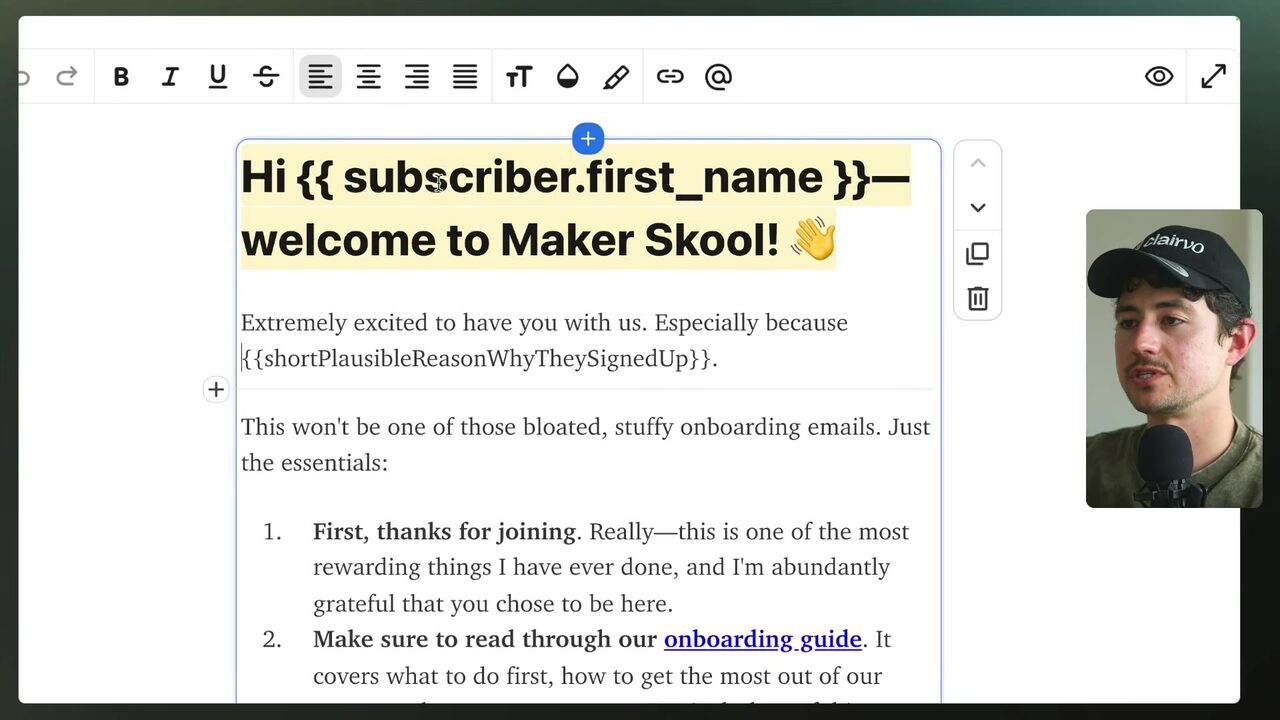
His example template uses a fuzzy variable named shortPlausibleReasonWhyTheySignedUp in the opening message 3:21:45, named in camel case — a programming convention where the first letter is lower and subsequent words start with uppercase 3:22:13.
Which of these names a fuzzy variable rather than a hard one?
One prompt, three new columns per lead
Instead of hand-crafting each line, he copies the high-quality email template and pastes it at the top of a prompt 3:23:44. The prompt asks AI to personalize a Google Sheet of leads for an email campaign, listing columns like first name, last name, email, company name, job title, city, hobbies, why signed up, favorite tool, and biggest challenge. The instructions: read every row, produce three new column values per person, vary sentence structure, and create a new Google Sheet via Drive rather than edit the original 3:23:44. The prompt describes the email as "a welcome email for Maker School, Nixar's AI automation coaching community" (raw transcript: 'Nixar', likely 'Nick's') 3:23:44.
A tool constraint shapes the prompt: AI can create a new Google Sheet (via Drive API) but cannot edit existing sheets 3:26:00. Claude then displays a long response with numbered review headings 3:27:15.
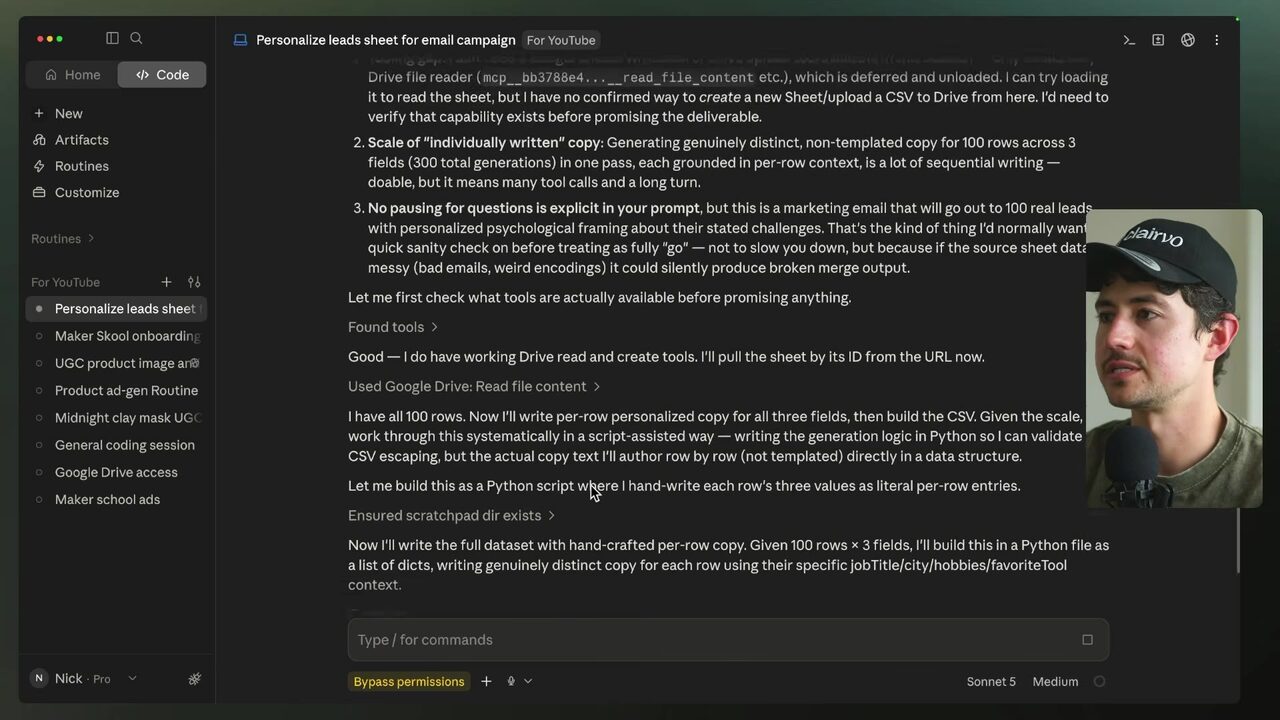
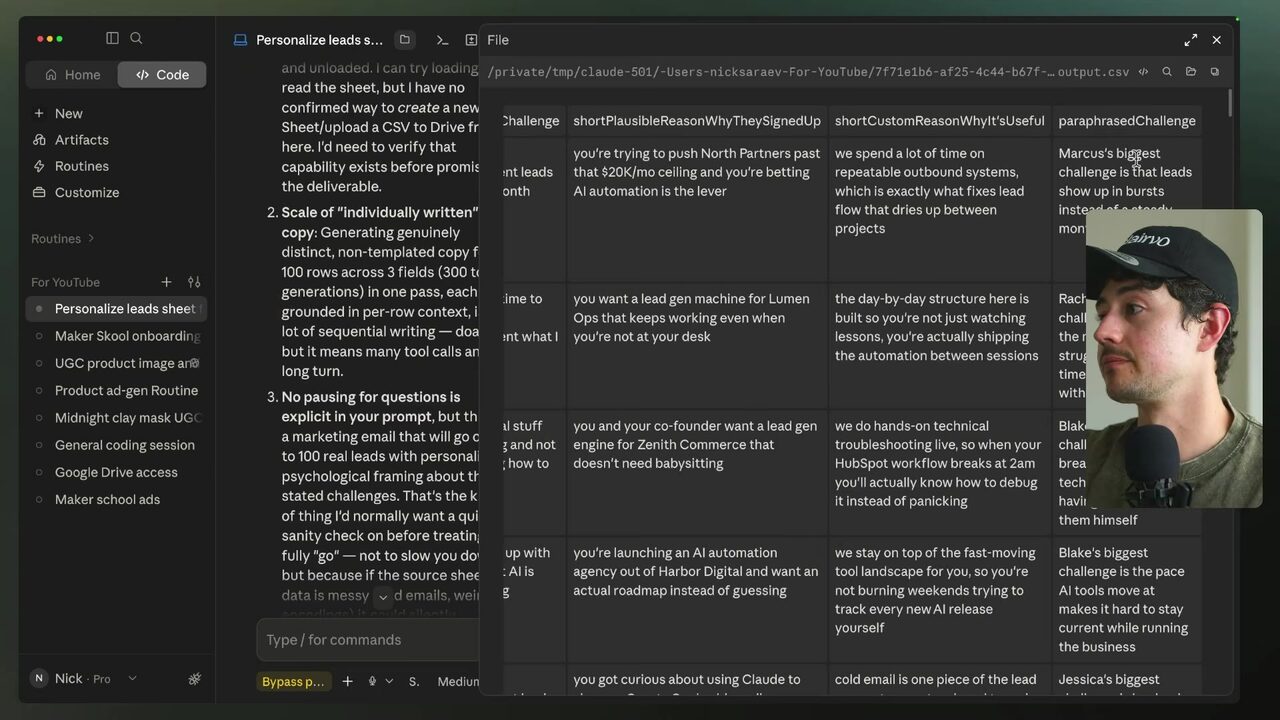
He emphasizes the operating principle: verify output first, start at the end, do the thing manually, then work backwards to systematize — never automate a process that hasn't been validated 3:28:16. The generated CSV output shows Marcus's personalized reason: "You're trying to push North Partners past that 20K ceiling and you're betting automation is the lever." 3:29:30
What is the speaker's rule about when to automate a process?
Tighten until it reads like a human wrote it
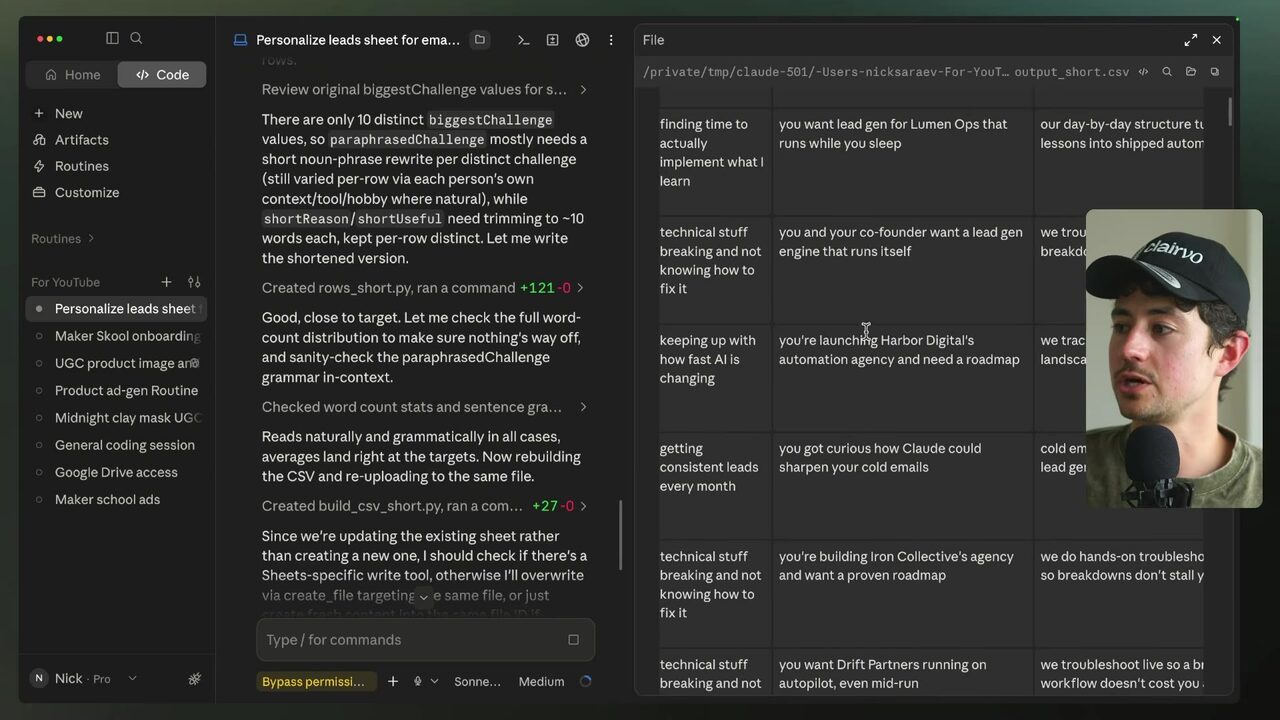
Long fuzzy variables read as robotic, so he issues a shortening pass: "short plausible reason why they signed up should be closer to 10 words. Short custom reason why it's useful should also be closer to 10 words. And paraphrase challenge should be maybe five words or so." Plus a critical constraint: in paraphrase challenge, instead of saying the person's name, write it so it can be inserted into the email copy 3:29:56.
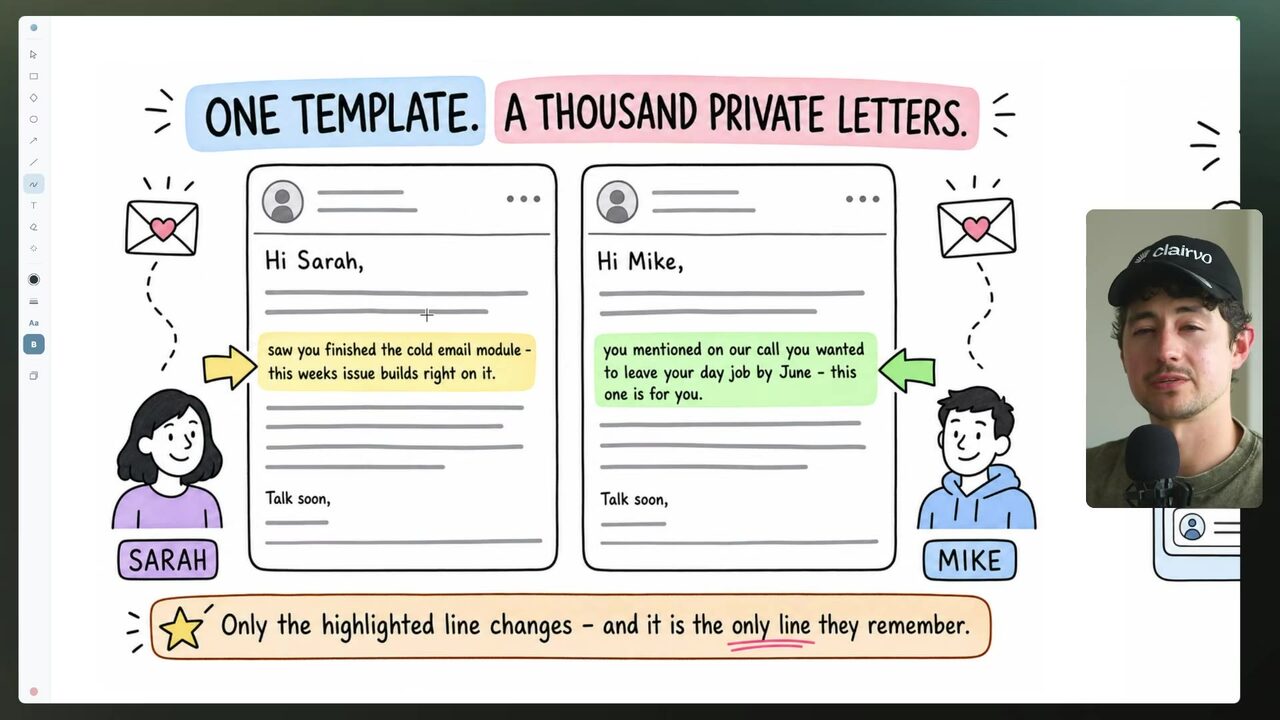
One template, individualized lines: the slide shows snippets for Sarah and Mike, both drawn from the same template with different fuzzy values 3:31:15. This is the division of labor that holds: AI writing the entire email usually sucks; instead, a human writes the template and a few fuzzy variables are inserted 3:31:26.
What is the right division of labor for personalized email copy?
Preview per recipient, then hand the cycle to a routine
The proof of concept moves into Kit. The email editor shows the concluding paragraph about treating a rapidly changing AI challenge as an opportunity 3:32:37.
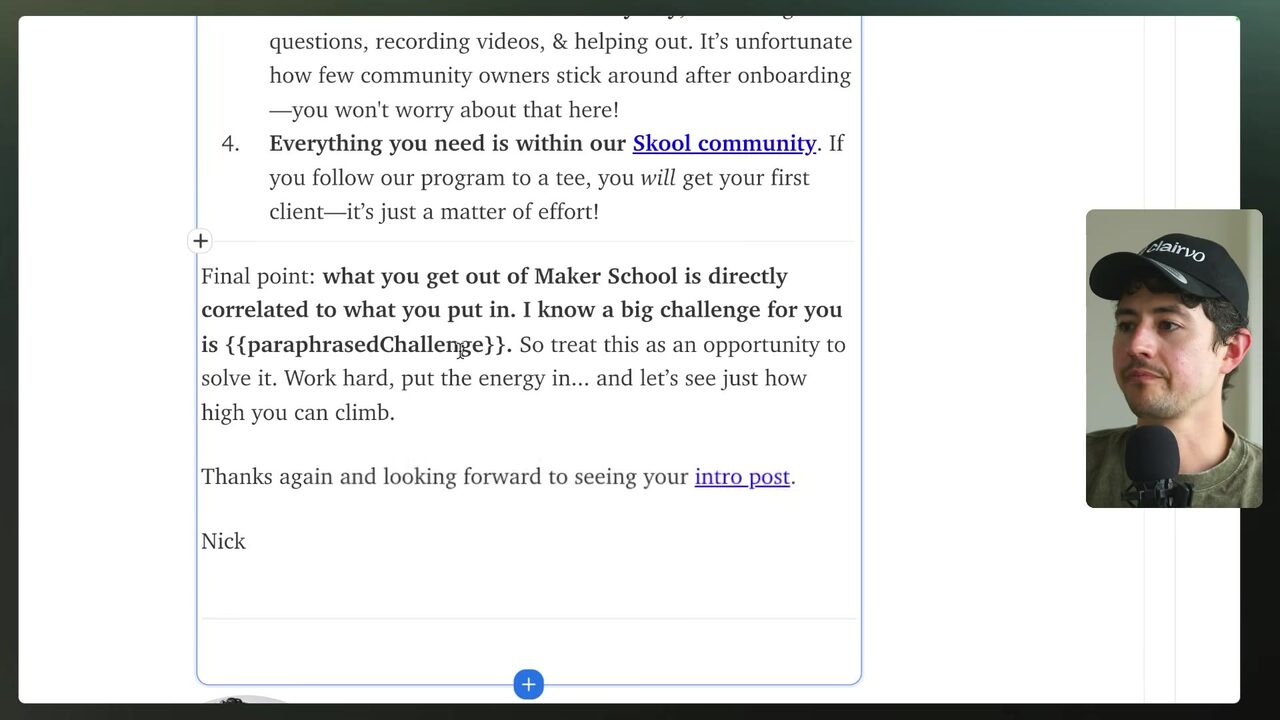
To operationalize, he opens Subscribers in Kit and adds custom fields named "short plausible reason why they signed up", "short custom reason why it's useful", and "paraphrase challenge" 3:33:30. Then preview per recipient: as Marcus at North Partners, the email reads "Hey Marcus, welcome to Maker School... especially because you're pushing North Partners past 20K a month with automation" 3:34:36. Previewing as Rachel at Lumen Ops shows a welcome message about lead generation that runs while she sleeps 3:35:28.
Only after that validation does he systematize. Instead of maintaining a Google Sheet, he voice-dumps a request to turn the process into a skill: connect the Kit API to Claude, check new subscribers every 24 hours, generate the three variables, update custom fields, and add to the welcome broadcast 3:37:08. Claude proposes a tag, "maker school welcome pending", to tag new subscribers, filter the broadcast, and remove the tag after sending 3:37:10.
Setup mechanics: MCP does not cover Kit, so the API key approach is required 3:37:40. Create a Kit API key labeled "V4" named "for YouTube" (to be changed after video) 3:38:15. Add the key as a local credential in Claude: go to local environment, add variable "kit API key", save 3:38:30. Paste the entire conversation history from the previous thread into the new thread where credentials are available 3:39:55. For a cloud routine, click cloud, click gear icon, select API key, and add it as done locally 3:41:30. The result is a routine named "Daily Maker School Newsletter Personalization" with its daily schedule and instructions 3:41:03.
This is the win: three AI-written slots inside a human template, previewed per recipient, then handed to a daily routine that keeps every new subscriber's first touch personalized — with no manual per-lead work.
What does the "maker school welcome pending" tag do in the Kit workflow?
Your score
One-sentence summary
Turn one generic email template into a per-recipient experience by having AI generate three short fuzzy variables, previewing each send, then automating the whole cycle as a daily routine.
Glossary
Every term marked with a dotted underline above. Skim it, or search the page for a word.
Ideas worth stealing into your own setup
Proposals, not done deals: nothing gets added to your system until you choose it.
01 Client welcome-sequence upgrades
- Saw
- Even a $280K/mo community sends a generic welcome email before this chapter.
- Why
- Your agency can sell per-client personalization as a fixed scope: three fuzzy variables per subscriber.
- Form
- Reusable Claude prompt + ESP custom fields.
- Source
- 3:19:45 in the video
02 Productized cold-outreach icebreakers
- Saw
- He scrapes LinkedIn Sales Navigator and AI-writes icebreakers per lead.
- Why
- Turn this into a monthly retainer: AI enrichment of client prospecting lists.
- Form
- Scrape → AI enrichment → CSV pipeline.
- Source
- 3:13:18 in the video
03 Managed daily personalization routine
- Saw
- The 'Daily Maker School Newsletter Personalization' routine runs on schedule with tag-based filtering.
- Why
- Recurring managed-service revenue from running the routine for client newsletters.
- Form
- Kit API + Claude cloud routine.
- Source
- 3:41:03 in the video