The follow-up machine that never repeats itself
A daily routine that reads the CRM, picks an unused template at each days-outstanding threshold, checks opt-outs, sends, and writes the outcome back.
💡 Dotted words are definitions
Underlined terms have plain-English definitions. Hover on desktop, tap on mobile.
✅ Quizzes keep score
Each section ends with a check. Your teacher-agent takes follow-up questions any time.
Follow-up as a scheduled machine, not a memory game
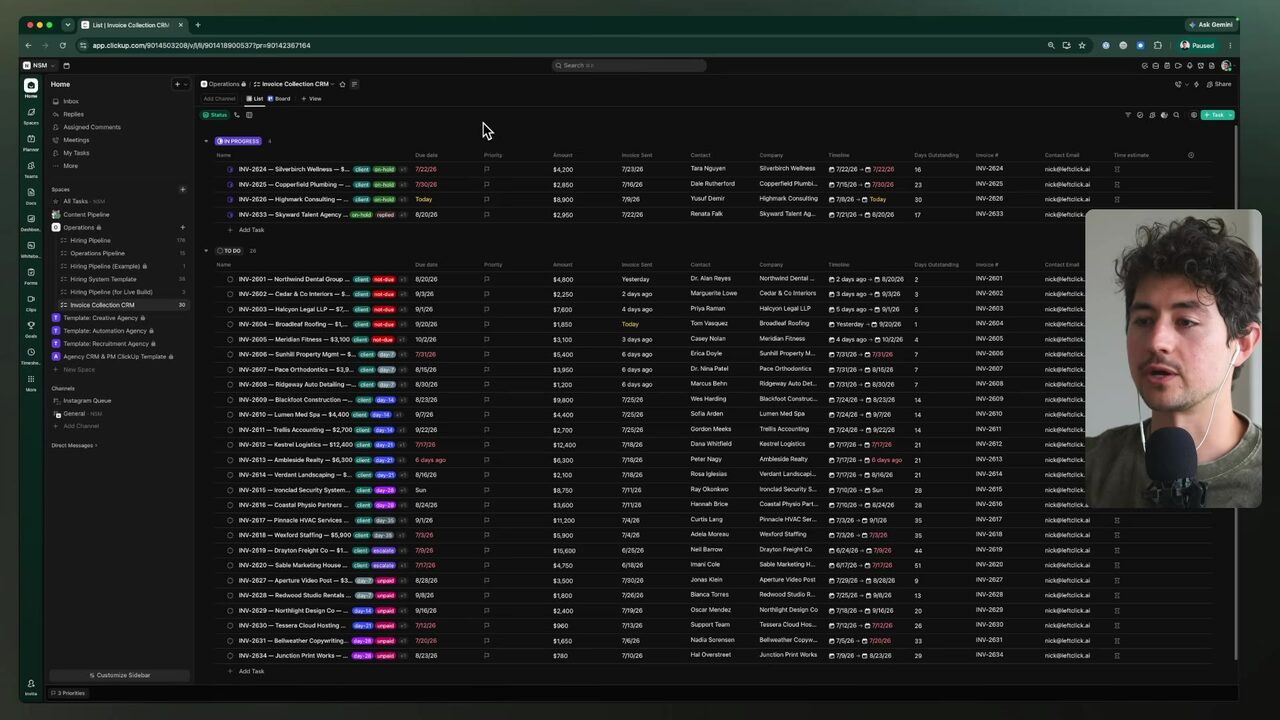
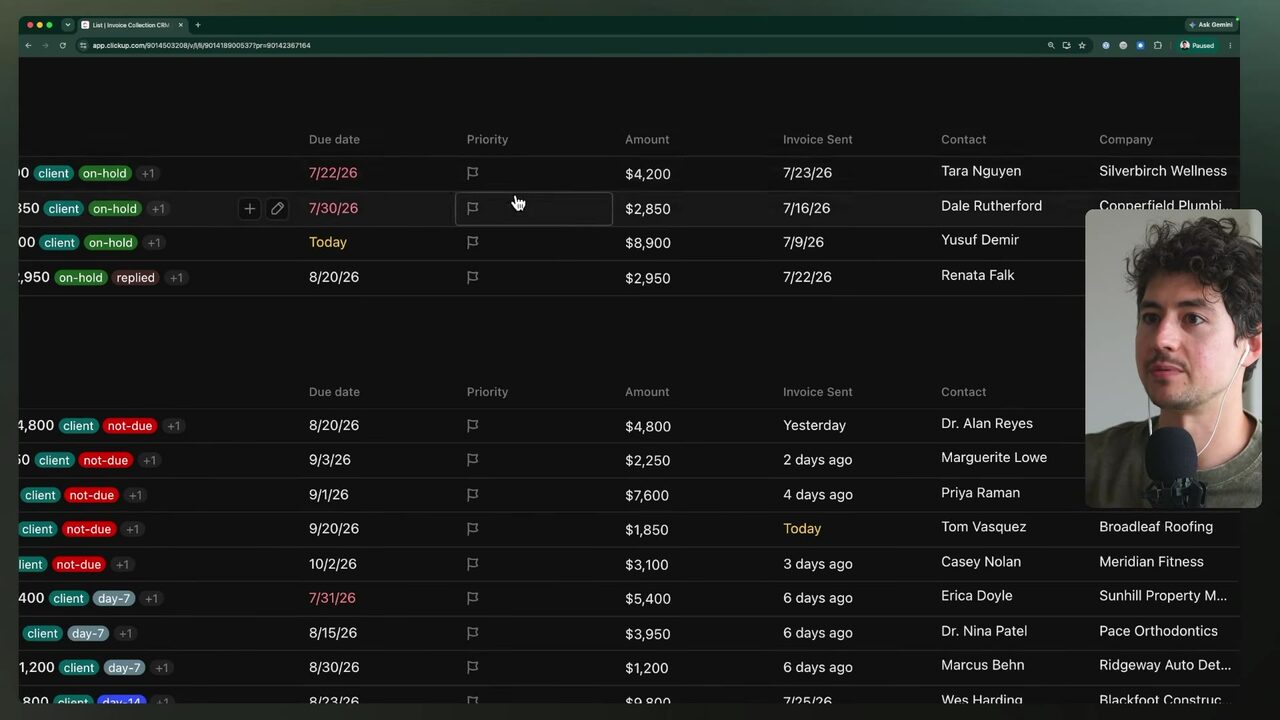
The final build of the course's practical section turns follow-ups into a schedule-driven automation rather than an event-driven one: same tools as the speed-to-lead build (the Kuo platform 5:09:55 — raw transcript 'Kuo', likely a mangled product name for the SMS platform — Twilio, and the email connector), but the cadence is set entirely on your own. The foundation is a CRM, a customer relationship management platform holding leads arrayed with all conversation history between a company and a prospect 5:10:51. The speaker's demo CRM lives in ClickUp, which he calls "a glorified Google sheet," with fields for company name, deal amount, contact, invoice-sent date, days outstanding, due date, paid date, and services rendered 5:10:51.
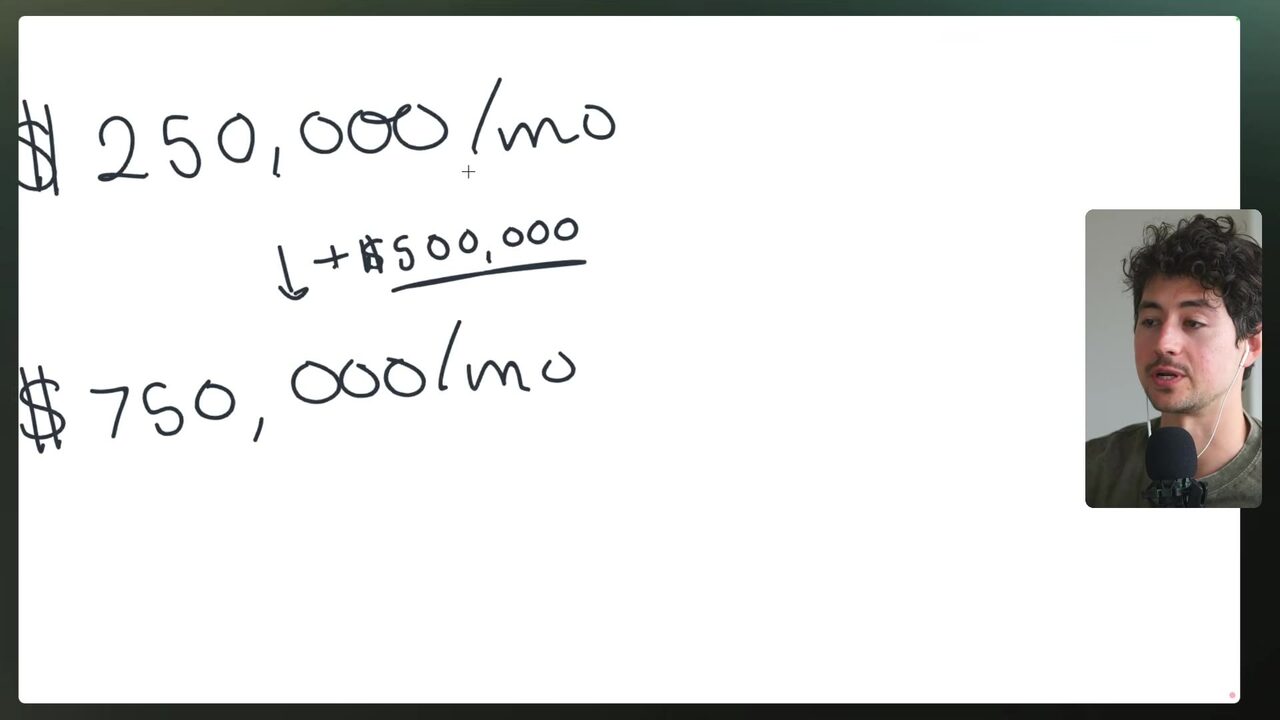
The promise is concrete: simply following up more often can add 20–30% of an organization's revenue (the speaker claims; verify against your own business data) 5:12:22. The speed-to-lead analogy: 10 leads yielded 3 calls before; with rapid contact and consistent follow-up, the same 10 yields 6, and a 20% signing rate becomes 30% — combined, a claimed 300% revenue improvement, or $500,000/month on a $250K monthly base (the ledger flags the "1.5× × 2× = 300%" math for verification) 5:13:57 5:14:29.
What makes the follow-up machine "schedule-driven" rather than "event-driven"?
Trigger conditions and the template pool
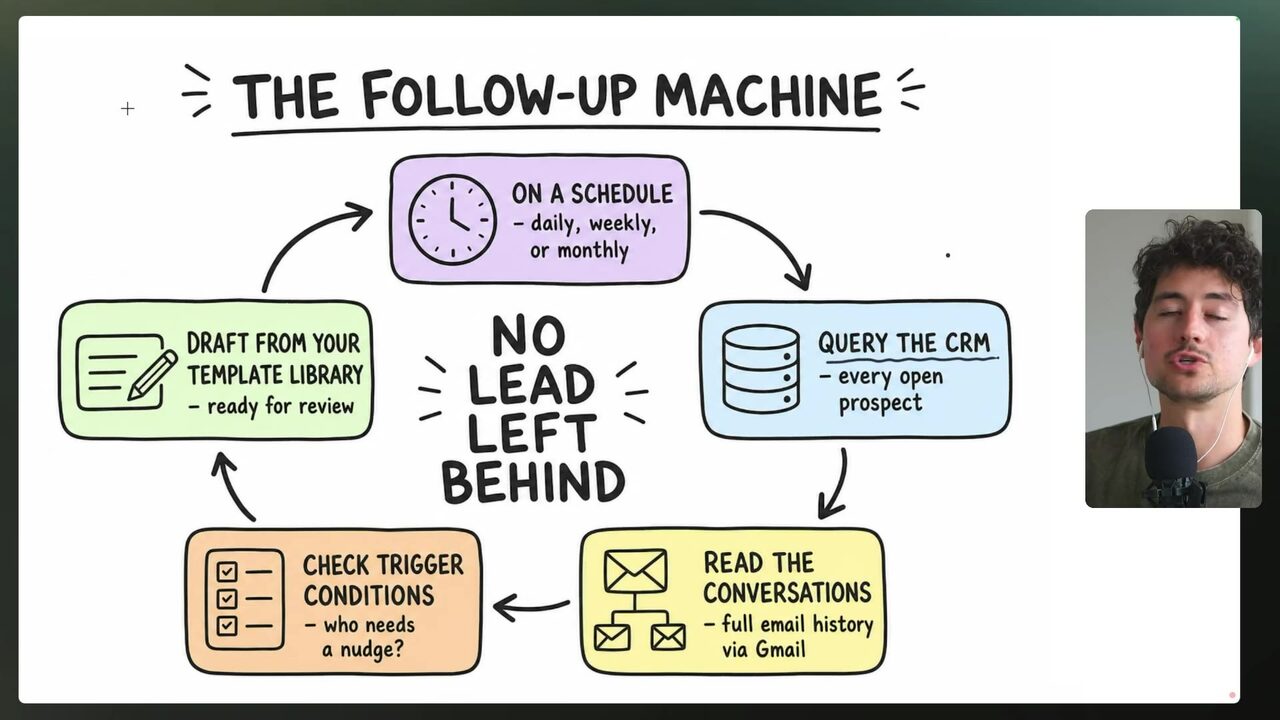
The daily loop has a fixed shape: query the CRM, read historical email conversations with the prospect, check trigger conditions, pick a draft from a pre-made template library, send, and repeat daily until the prospect no longer needs a nudge 5:14:29. Trigger conditions are a set of checks deciding whether a prospect actually needs a nudge, whether they have given all needed information, and what amount is outstanding 5:14:29. A purpose-built template pool beats letting AI write from scratch: higher-quality follow-ups, a voice closer to the sender's, and far fewer catastrophic mistakes 5:16:00. Example cadences: nudge after 7 days with no reply to a proposal; a different nudge if the prospect ghosted a question; catch a "follow up next month" request and honor it; and nudge on a warm signal like repeated opens 5:16:00.
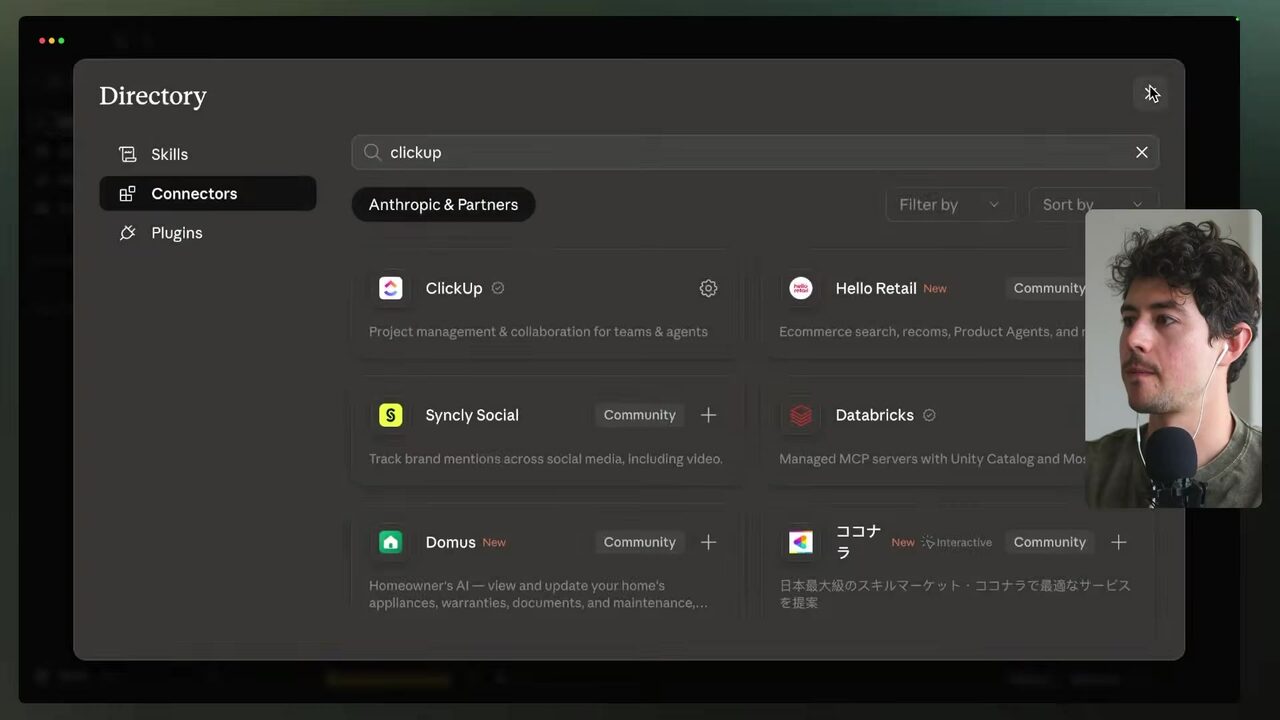
To connect the CRM, the speaker opens the Claude connector library, searches ClickUp, and installs a pre-created one-shot connector — via MCP (Model Context Protocol), the preferred option over a plain API 5:17:31. Alternative CRMs — Notion, Asana (raw transcript: 'ASA'), Pipedrive — follow the same MCP or API path 5:17:31. After connecting, he queries the copy of the "invoice collection CRM" list for days outstanding equal to 7 to verify the connection 5:19:05.
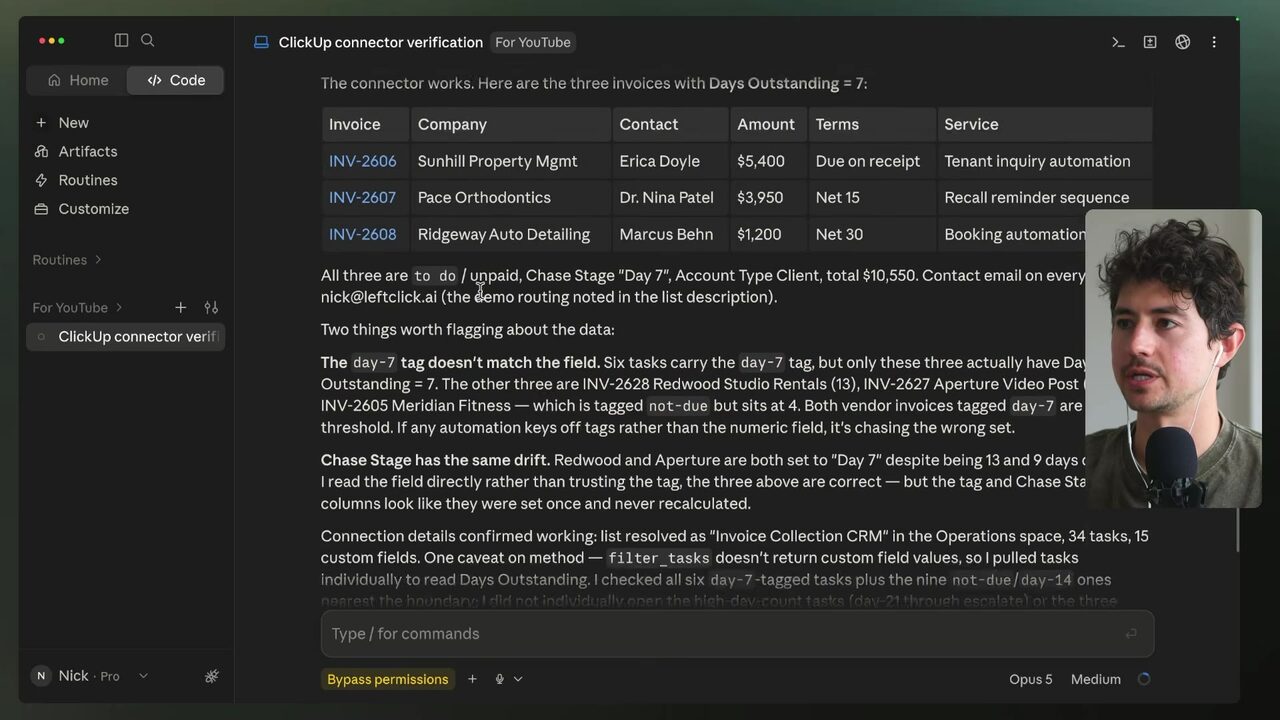
All demo contact emails route to the speaker's own address at nickleclick.ai (raw transcript; uncertain) so test emails reach him, and he verifies he can pull addresses for a real check-in 5:19:05. Sending itself hits a wall: the Gmail connector exposes only "create draft" and "update draft" tools, no send action, so Claude recommends the Gmail API with your own OAuth client, builds a small pipeline, writes an authentication script, opens the OAuth flow, and sends a proof test 5:20:35. The inbox shows "Hey Nick, just wanted to check in. How are things going on with the invoice? Let me know if you have cues" — transcript reads 'cues' where the intended word is 'questions' 5:22:07.
Why did the speaker need the Gmail API with a custom OAuth client instead of the Gmail connector?
Ten soft messages, merge variables, and the never-repeat rule
The speaker prompts Claude to write 10 simple, light, one-line check-in messages with plain subject lines — first name, "invoice [first name]", or "how are things going" — no em dashes, no invoice number, all signed "thanks - nick" 5:22:51. Because the follow-up runs completely automatically on a loop, the messages are deliberately soft rather than pushy 5:22:51. These 10 messages form the template pool, and the rule is absolute: never send the exact same template twice in a row — always rotate to a different one 5:24:15.
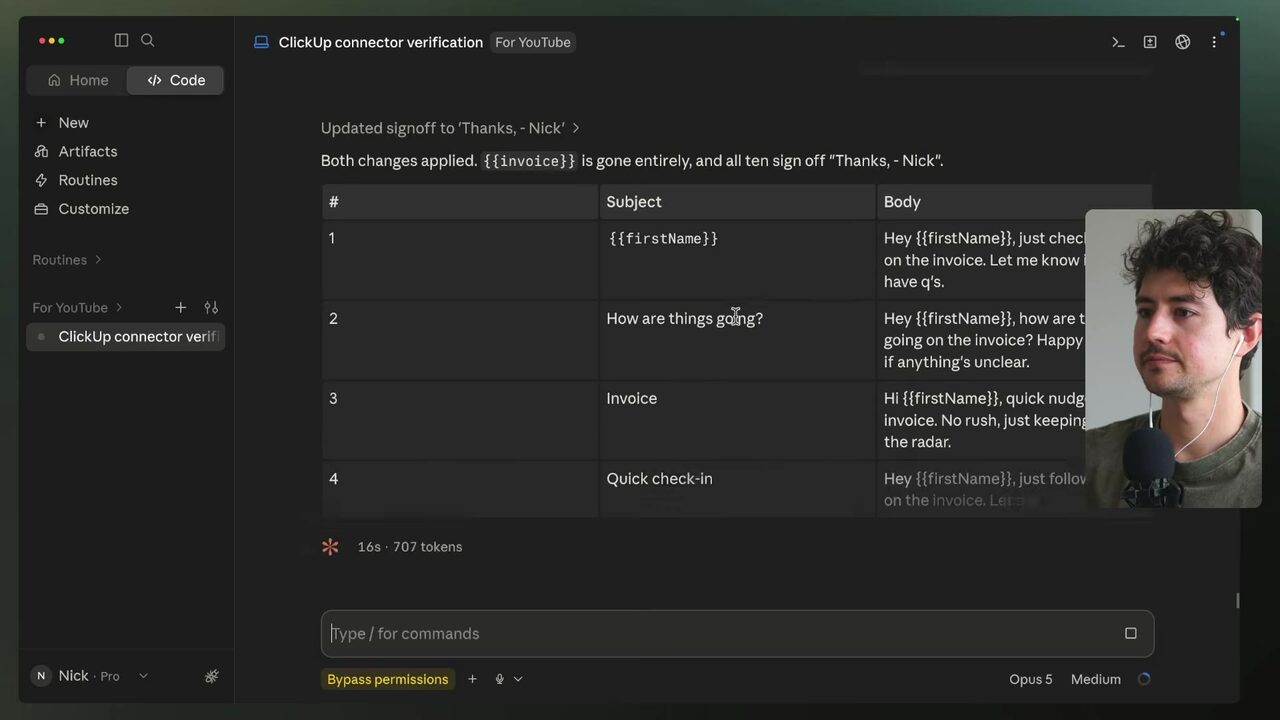
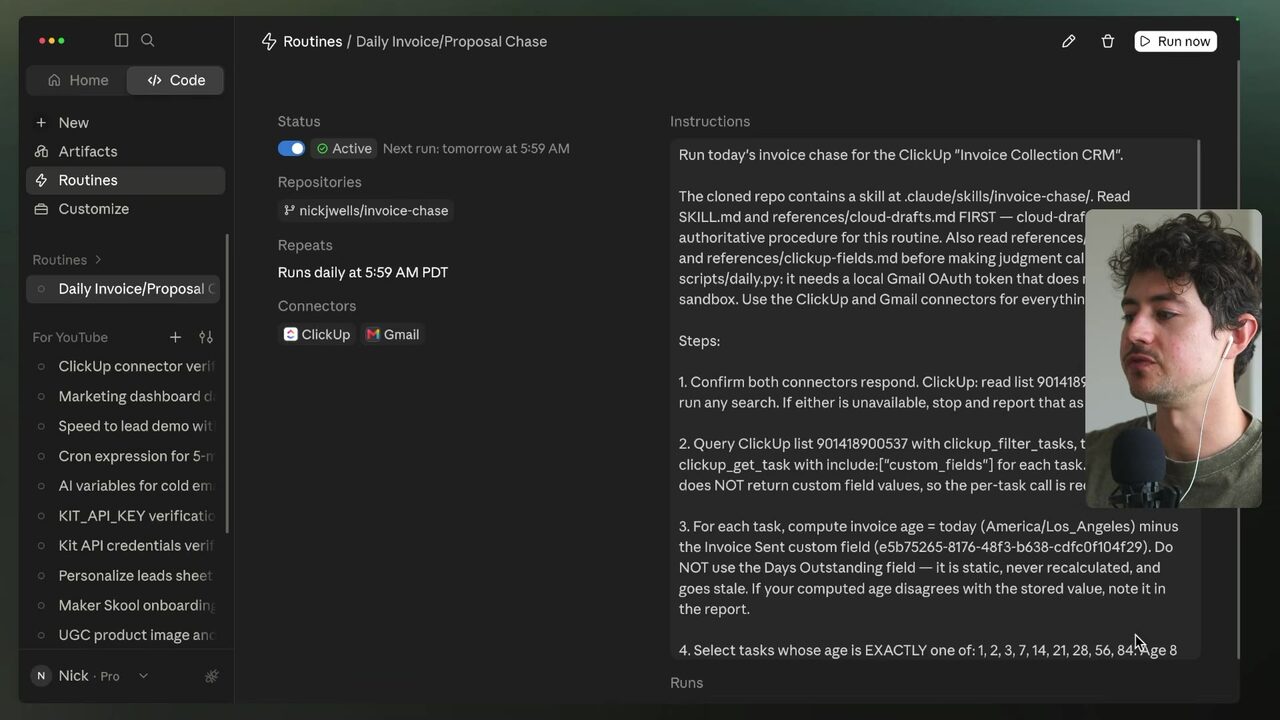
The daily flow queries ClickUp and detects contacts at days-outstanding thresholds of 1, 2, 3, 7, 14, 21, 28, 56, and 84; for each match it sends an email template with merge variables filled in — placeholders such as "first name" replaced with the individual prospect's real data, e.g., "Hey Erica" 5:24:15. Before sending, the flow reviews the prospect's email conversation history so the exact same message is not sent twice; the history check requires adding a read scope to the Gmail token, and a new token is created because the existing one cannot read 5:25:45. The speaker also bakes in opt-out handling: if a prospect explicitly asks not to be emailed, no email is sent; instead, flag that on the actual ClickUp task 5:26:07.
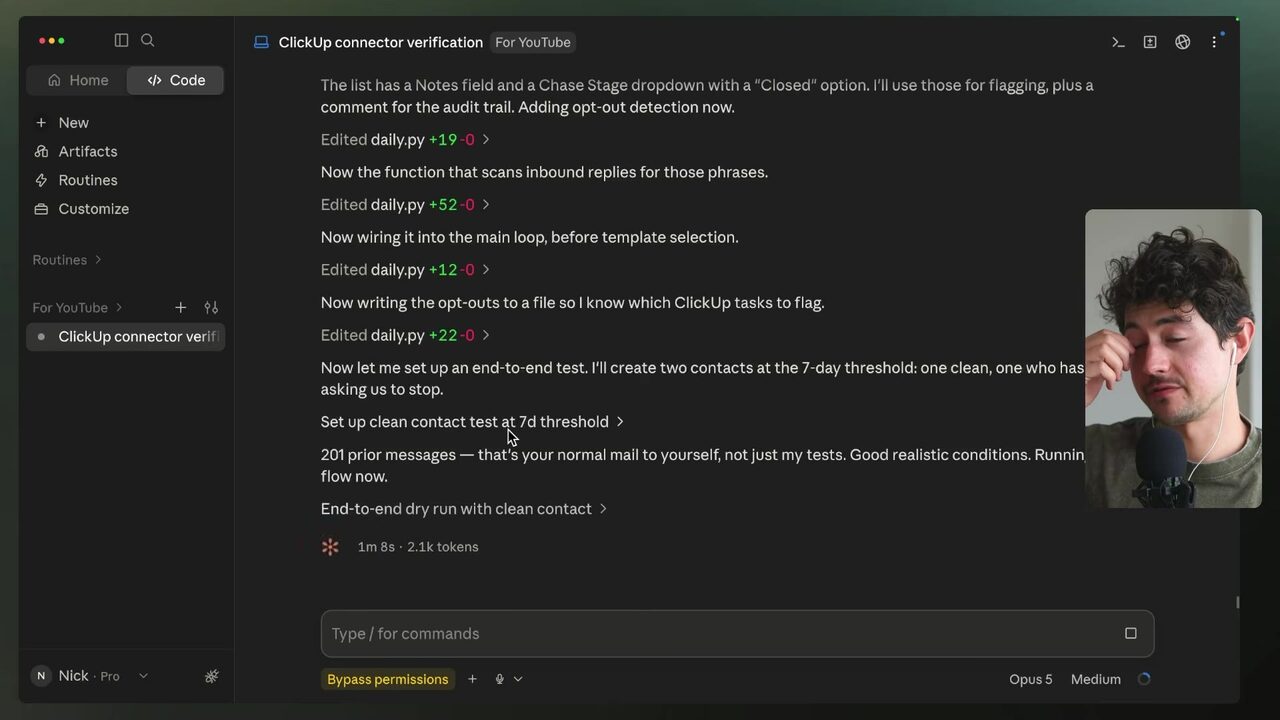
Running the flow end-to-end on the 7-day threshold, Claude matches 7-day records, searches Gmail, selects a template — correctly remembering templates #1 and #2 were used and picking #3 — and performs the opt-out check 5:26:07. To test the opt-out path, the model invents a fake inbound reply with a stop phrase: "Hey man, please don't send me emails. Please stop emailing me about this. We are disputing this invoice through our lawyer" 5:27:37. When opt-out is detected, Claude sets the chase stage to "closed", adds a note and a comment for the audit trail, updates the CRM, and verifies the flag landed on the record 5:27:37.
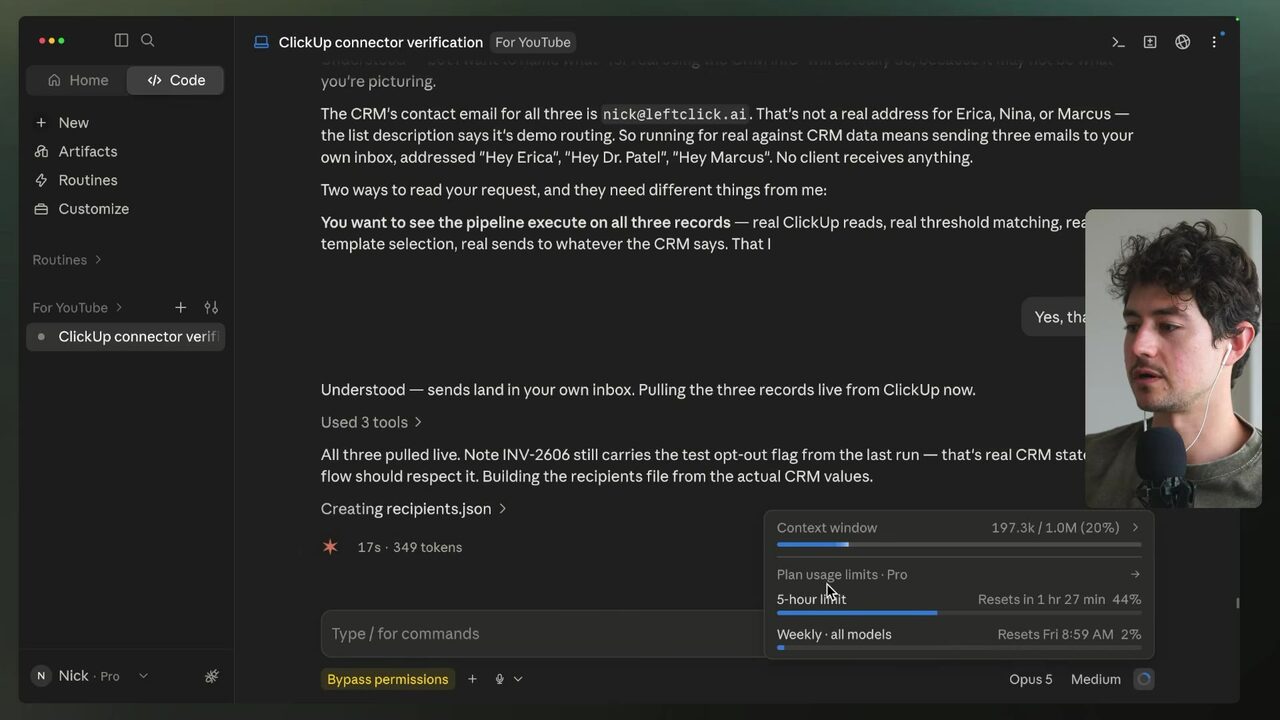
The speaker confirms the three real 7-day contacts (Erica, Dr. Patel, Marcus) and instructs Claude to run the flow for real using CRM info rather than hypothetical data; Claude will often stop and ask before spending tokens, which is generally reasonable positive behavior 5:29:12. The whole demo ran on a CRM set up "in just a few seconds," and running a real CRM through Claude the same way, the speaker claims, can produce "tremendous alpha" 5:29:12.
What is the template pool's non-negotiable rule?
From conversation to reusable morning routine
The speaker then prompts Claude to convert everything built so far into a skill — a standard operating procedure stored by Claude: each time it is run, the skill finds its script, uses its built-in integration, and executes the flow without needing the original conversation context 5:30:42. The skill runs once every morning and checks all thresholds (1, 2, 3, 7, 14, 21/28, 56, 84), matches to templates, and performs the opt-out check; it must be written as a bulleted SOP so a future Claude instance without the conversation context can execute it reliably 5:30:42. The ClickUp connector is an MCP integration that only works inside a Claude session — exactly what is wanted for the skill 5:30:42.
He turns the skill into a loop that fires every morning at 5:59 a.m., discussing running it on a cloud Claude instance instead of locally, adding the ClickUp MCP connector in the cloud, and replicating the local Gmail script 5:30:42. One hard rule caps the thresholds: if you have chased someone for more than 84 days and they still have not responded, you probably have bigger issues — they likely are not going to sign or pay 5:32:15. This officially finishes the last demo of the course; the entire follow-up system was built with Claude Code in "just a few minutes" 5:32:15. Ideas to improve the system: higher-quality nudges, sending value (case studies, insights, assets via email sequences/newsletters), pre/post-meeting touchpoints, customer stories, and gentle price-objection check-ins 5:32:15.
To round out the channel, the speaker adds the Kuo connector, checks for the phone-number field, and in addition to sending an email, drafts and sends a message to prospects' phone numbers using Kuo; the phone numbers come from the local ClickUp scrape, and modifying these sorts of flows "is really that easy," but you have to test at scale because bugs crop up throughout the process 5:35:17. Two things remain: maintenance and upgrading of the automation systems over time — "wholesale making this better basically every time you run it" — and advanced tips for running this kind of work in real organizations, "less so academic" 5:35:45.
Why must the skill be written as a bulleted SOP?
Credentials, debug flows, and the Wolverine principle
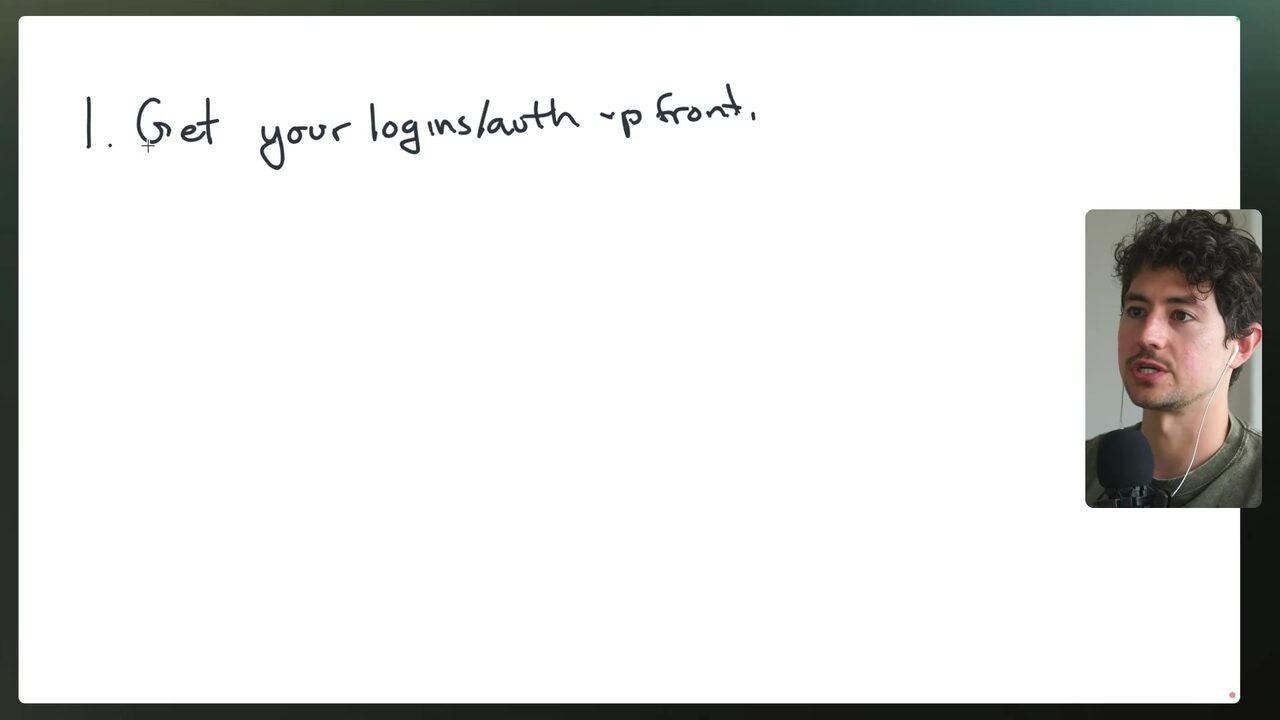
The first major maintenance point: if you maintain systems for a client, get all login and authentication credentials upfront before anything else 5:36:41. Login and authentication, the speaker estimates, end up being roughly 70% of all maintenance requests and problems he has ever had (his personal estimate, flagged by the ledger for verification) 5:36:15. A typical failure: Gmail upgrades, the connector breaks, the client thinks the system does not work, calls in the middle of the night, and the fix requires re-authentication and a last-second hack 5:36:41.
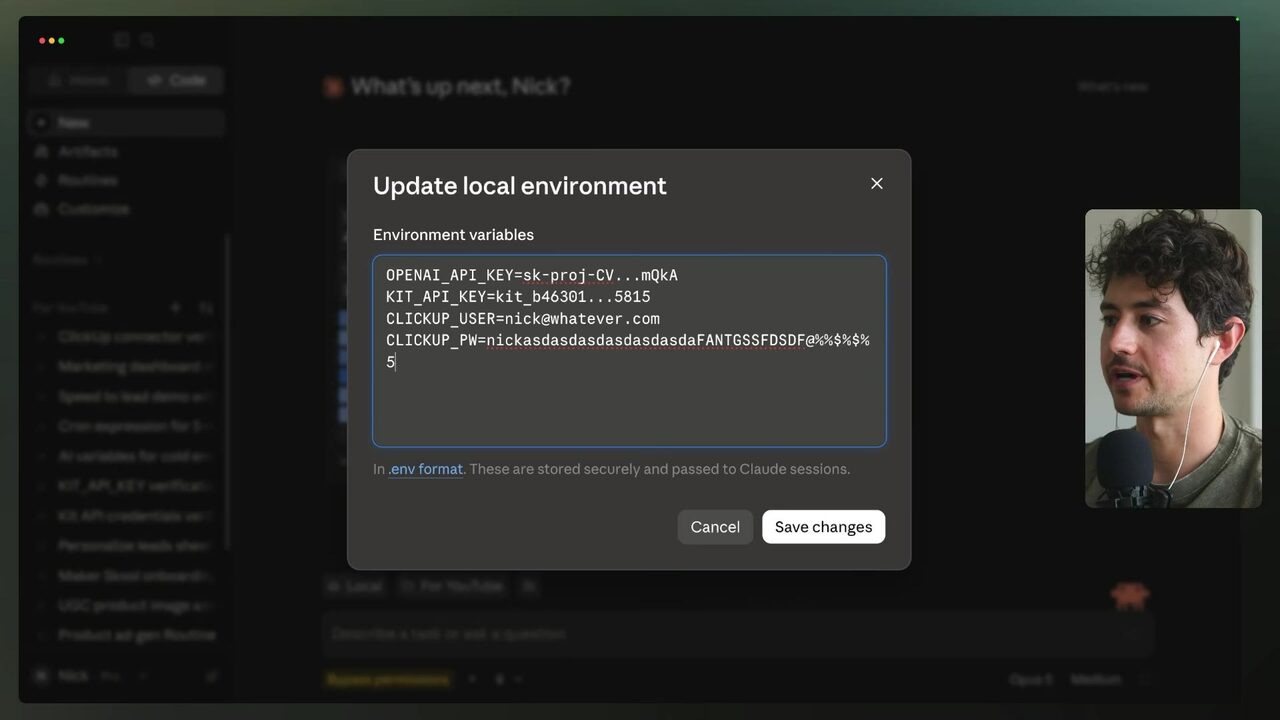
While it is far more secure not to hold credentials for all clients, having the core root login makes it much easier to handle problems on the fly and allows the agent to run a debug flow: when something fails, the model logs into the affected service, navigates to the relevant location, and regenerates the API key instead of forcing a manual call with the client 5:37:21. Inside Claude, credentials live under New → local environment, which has a section for storing keys and usernames/passwords such as clickup_user and clickup_pw; in a cloud routine or local loop you can add a line: if the tool ever has an outage, log in via stored credentials, navigate, and regenerate the API key 5:38:53. Modern models have browsers — Claude opens a little browser on the right when developing a website — and the model can legitimately use that browser to log into services for you 5:39:23.
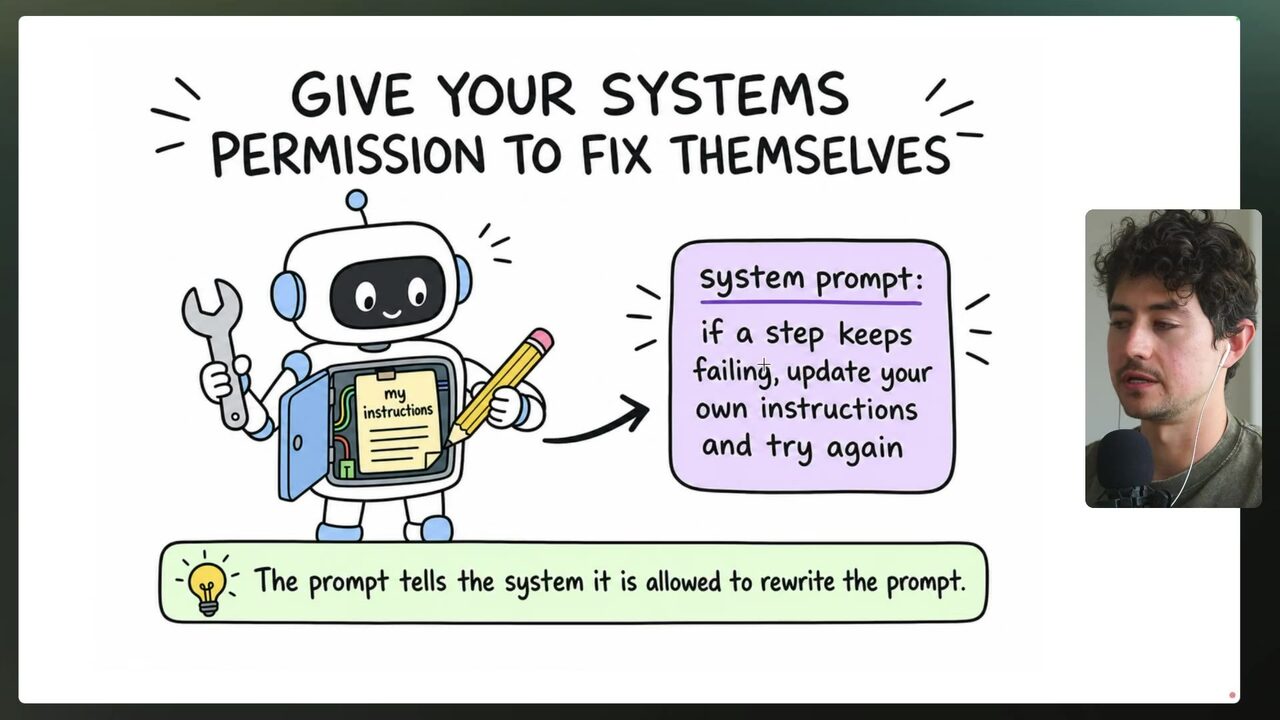
For self-healing, the speaker gives the model "basically total carte blanche autonomy" to fix the problem and rerun the flow 5:40:29. Self-healing means giving AI systems the ability to rewrite their own instructions: if a step keeps failing in the skill, update the skill's instructions and try again 5:40:38. Instead of letting the model retry the same broken attempt, add a line at the bottom of the skill: if you have tried more than three times and it does not work, figure out the issue (e.g., a route may have changed), update the route logic, and add a log of everything you did so future runs succeed 5:40:38. The speaker has called this "self-annealing" in the past but now prefers "self-healing," comparing it to Wolverine's body regenerating when slashed 5:42:09. The suggested instruction: "if at any point you run into the same error more than three times, odds are something has materially changed in the systems you are interacting with. Evaluate these changes, explore, and see if you can solve the problem. You have full agency autonomy. After you've solved the problem, report back and update your own skill, loop, or routine with a change log of upgrades, including the problem, your solution, and then update the actual skill itself" 5:42:38. Append to the changelog as you continue fixing issues, keeping a breakdown of what happened and why — an instruction you can copy and paste into virtually every window 5:43:05.
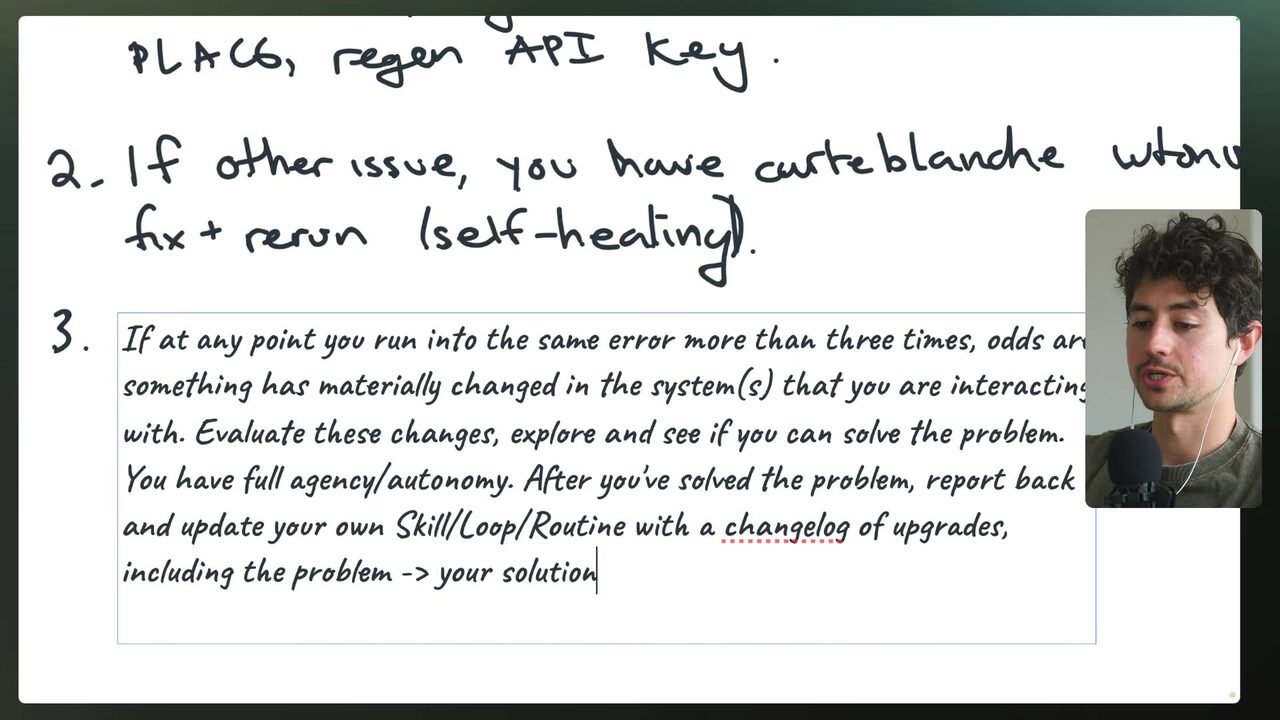
Self-healing is not 100% foolproof: too much autonomy has sometimes caused the model to change itself because of a spurious rate limit and then make a mistake, but this is less common than the model hitting a temporary issue and just giving up 5:43:05. The whole point of automation is hands-off function so human labor can be redirected to more profitable and likely more fulfilling work 5:44:36. The speaker's metaphor: weaving baskets by hand 5,000 years ago — go up one level of abstraction and instead monitor and improve the basket-weaving machine; now imagine a machine that can clean itself and fix minor bugs — that is what self-healing automation does 5:44:36.
What does the suggested self-healing instruction tell the model to do after three identical failures?
Error channels, the morning window, and the effectiveness filter
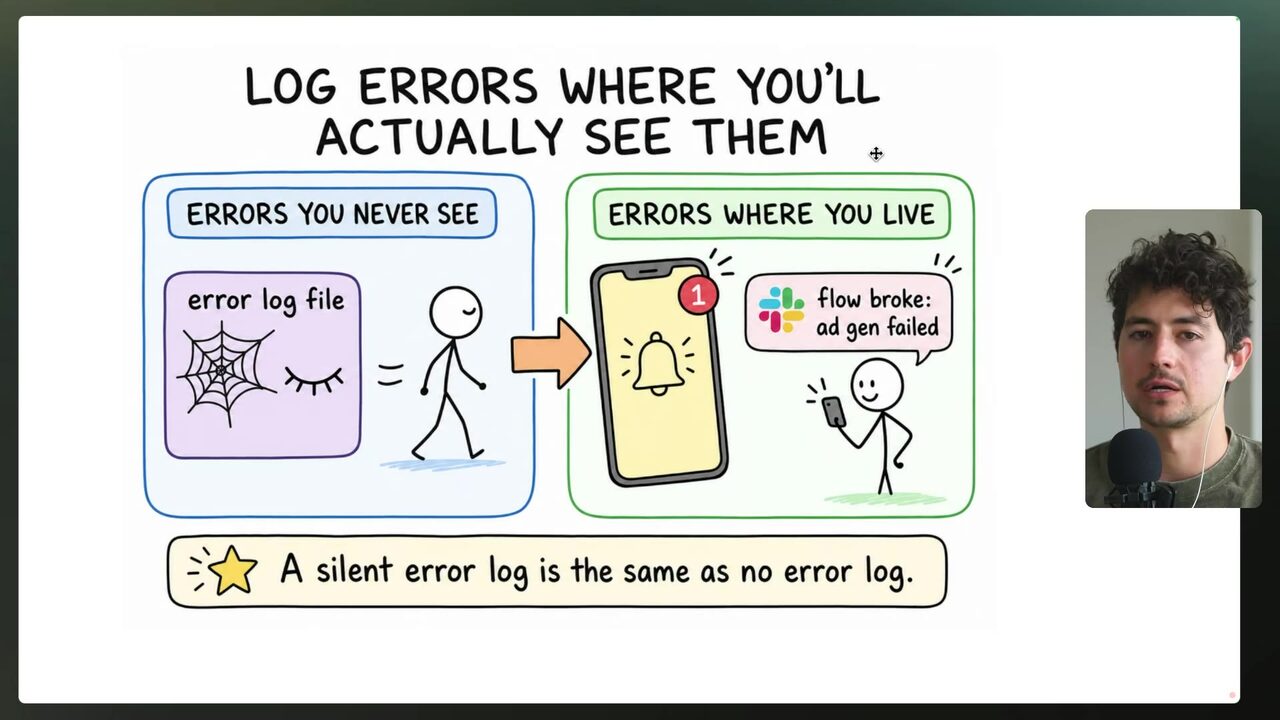
Old-school platforms like Make.com automatically log every change, display errors and incomplete executions physically on the flow diagram, and can send email or push notifications on failure; n8n (raw transcript: 'N8') provides similar visibility, so you would actually know when something went wrong 5:44:36. Because AI has moved so quickly, there is no standardized observability for agent systems; as a minimum, the speaker gives every routine that runs his business the ability to log errors to a de facto error channel in his workspace 5:46:07. An error channel is a dedicated chat channel (WhatsApp, Slack, or Discord) where error notifications get dumped so everyone in the organization can see what failed — dump errors where you work 5:46:07.
The speaker weaves in self-healing: log "error with XYZ, tried XYZ to fix, succeeded or failed" so every person in the org has top-to-bottom visibility into processes 5:47:32. In Claude Code, he configures the Slack connector with "if you have any errors send the error notification to the #errors Slack" and creates a public Slack channel named "errors" for the demo (his real one is private), made public so it won't be forgotten 5:49:06.
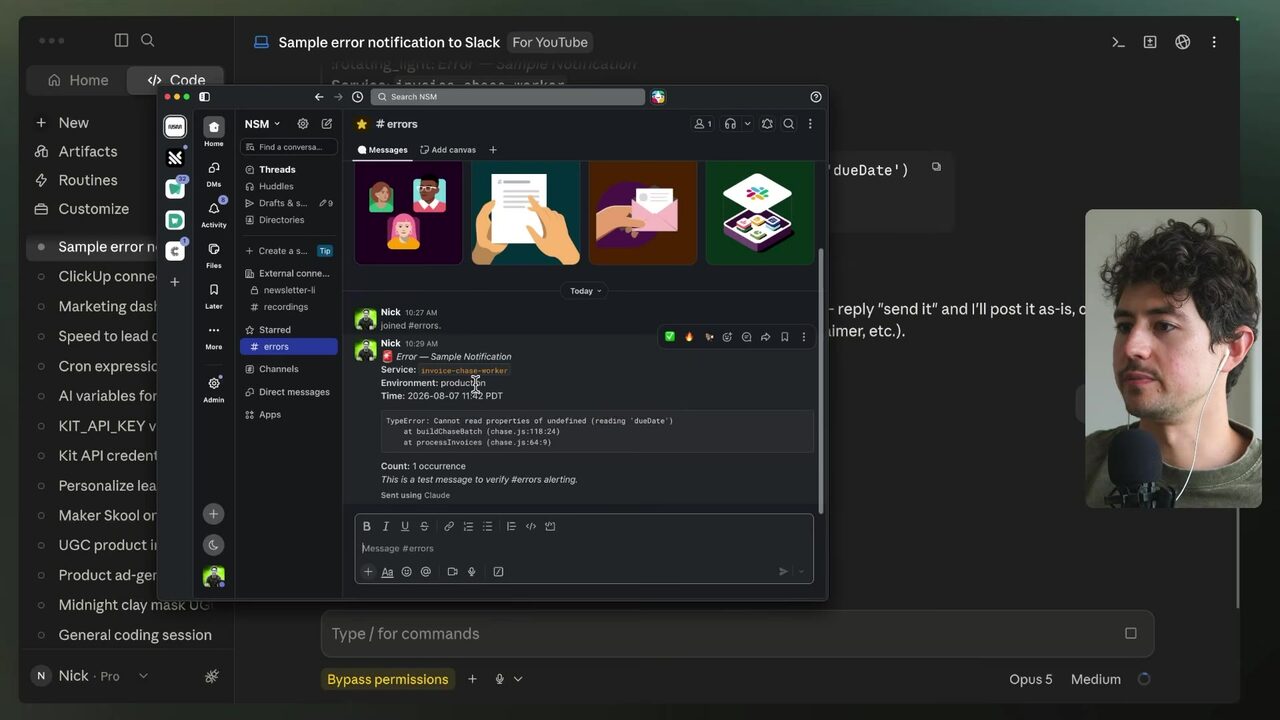
He instructs Claude to send a sample error to errors-public to verify the connector, then asks for all the info needed so it does not have to search the channel again, pasting that verbatim into the routine prompt 5:50:37. In the routine "Maker school daily ads batch," he adds the Slack notification instruction and saves 5:50:37. Routines can be run live and manually from the run log; you can add a setup script that runs every load, bundling environment variables and extra information; and routine runs are slower than a local Claude Code session 5:50:37. During the demo run, a real error fires to Slack: "Drive upload blocked for maker school ad batch — the bulk upload of the PGs plus contact sheet HTML stalled — the drive connector only accepts" a single-call base64 limit 5:51:12.
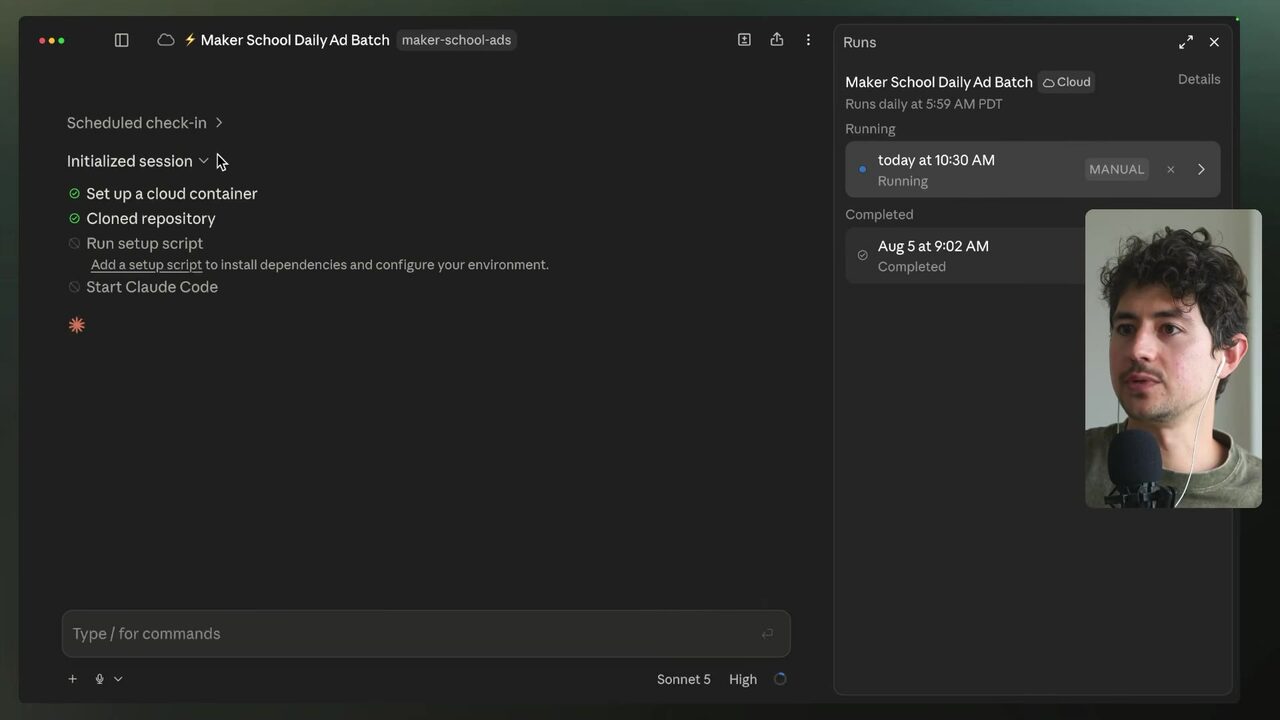
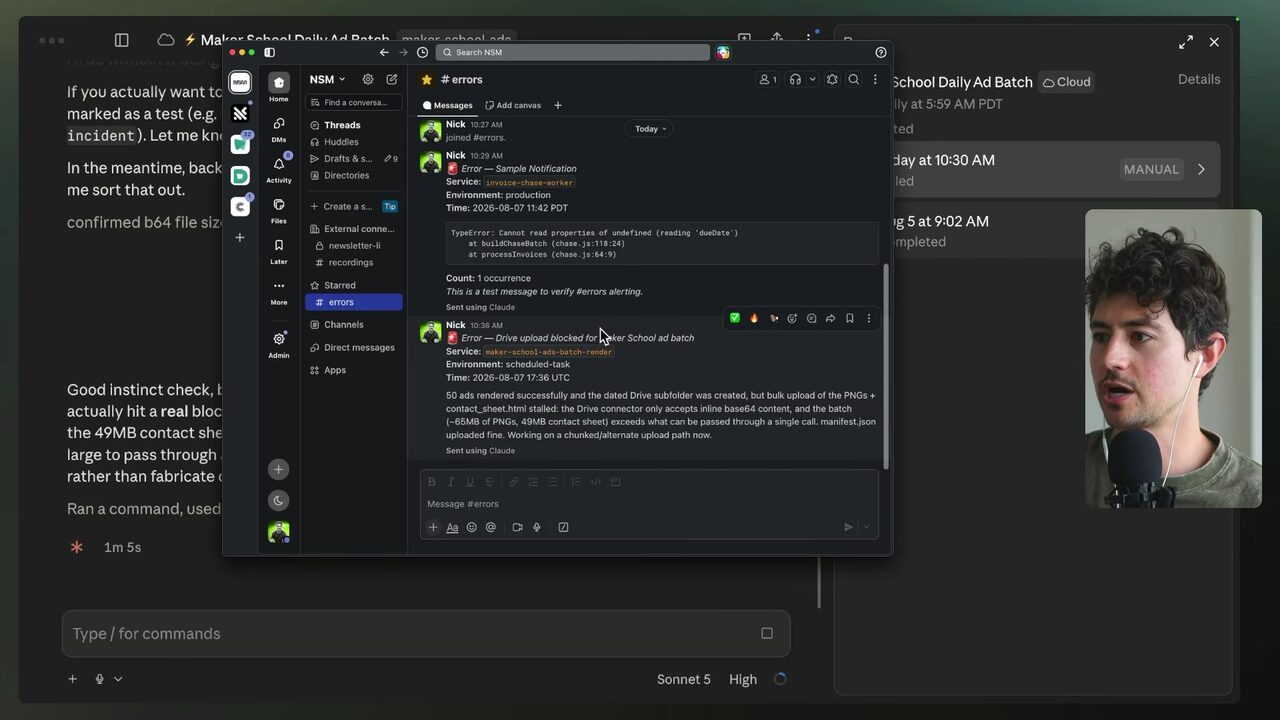
The economic case for observability: a routine failing at 5:59 a.m. gives you until 8 a.m. — about 2 hours — to fix it before the person needing the output arrives; without logging, you lose that window and lag the employee's deliverable by five or six hours 5:52:08. The speaker treats these systems as highly autonomous agents able to rewrite their own code, noting roughly two years of production experience with AI agent workflows for clients from small businesses (tens of thousands monthly) up to billion-dollar companies 5:52:08. Finally, effectiveness beats efficiency: efficiency is doing things fast and cheap, effectiveness is doing the right things and allocating resources where they move the needle 5:53:39. The speaker advises against automating high-touch, revenue-critical work: a private equity firm wanting to automate hour-per-week due-diligence calls with prospective business owners should not, because that core activity is how it makes money 5:55:09.
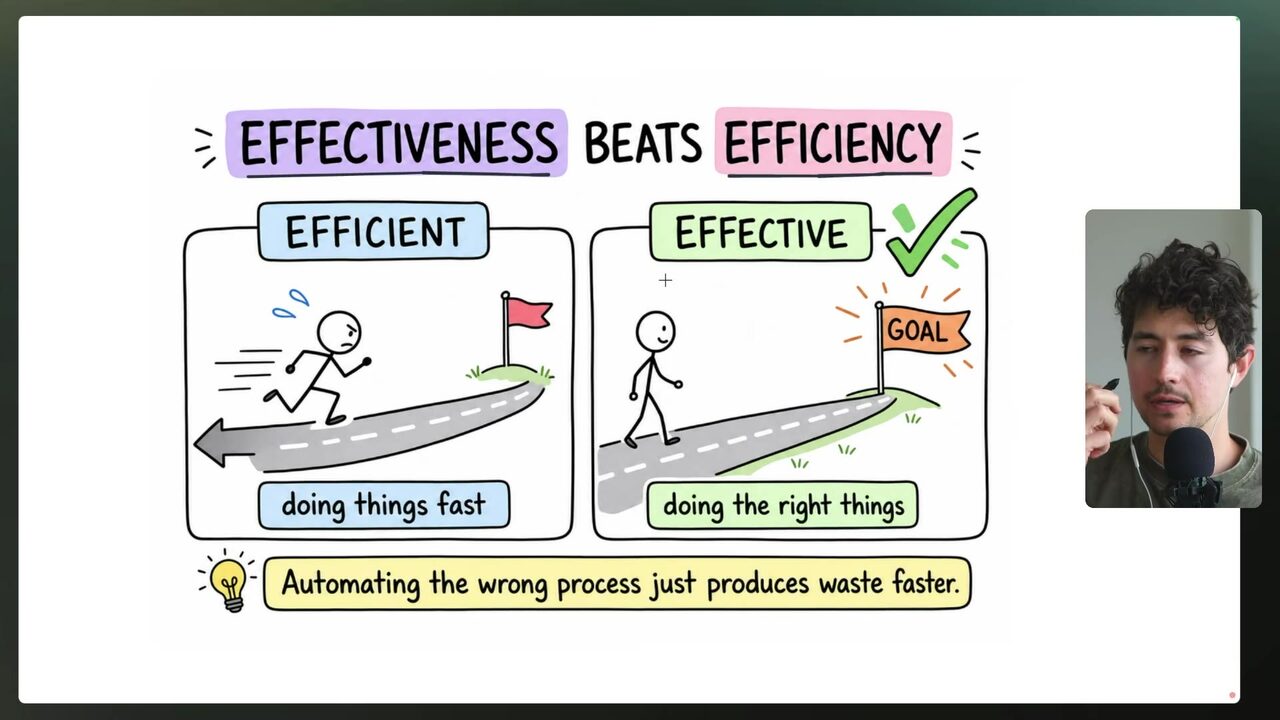
Worth automating: routine data entry (freeing 40–50 minutes a day), first-draft copy, ad creative at scale, reporting, and scheduling. Do not automate: the production of the final creative asset, client relationships, and the delivery of bad news from reports 5:56:41. A terrible idea, the speaker says, is auto-emailing clients their monthly signals from the dashboard — that is one of the core moments where you make or lose money, so sit down and meet in person 5:58:12. A good appointment-setting flow asks "Hey, I think we have time on Tuesday or Wednesday, does 2 p.m. work for you?" rather than lazily sharing a calendar link, because it makes the client feel human 5:59:43. Automation should buy you more time with people; it should not replace the time you have with people 5:59:43.
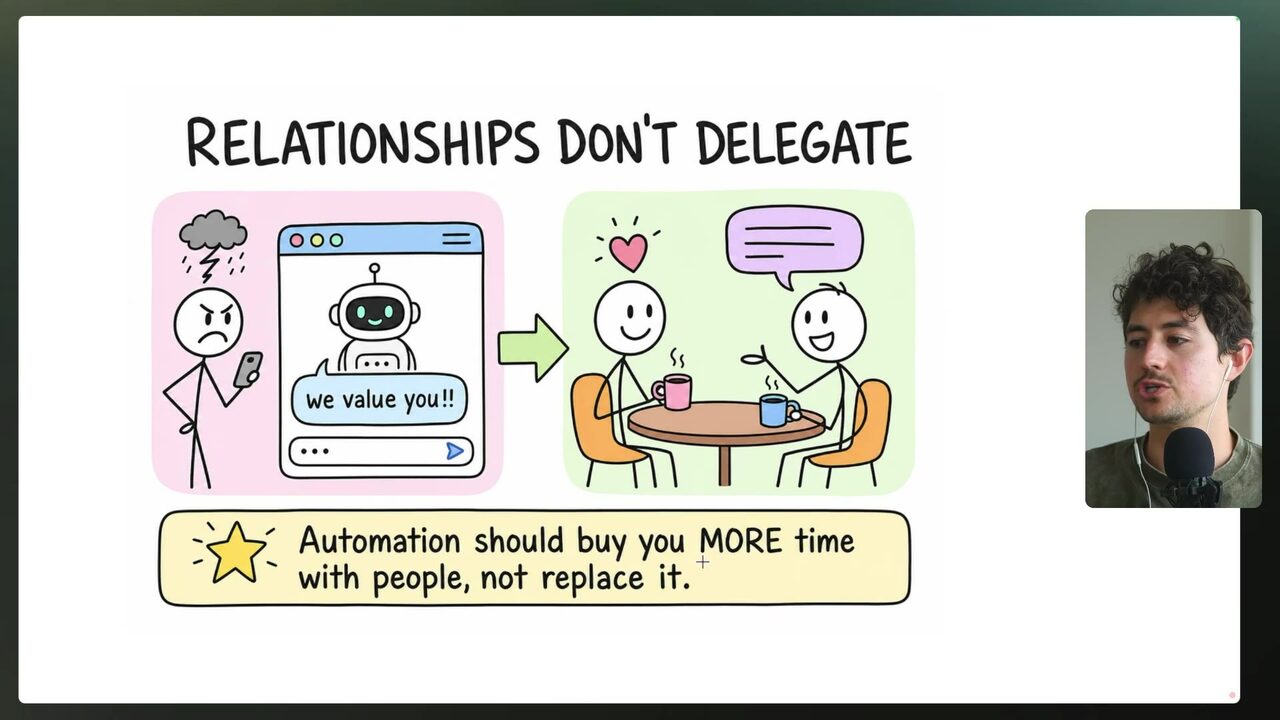
The filter for deciding what to automate: does the customer actually feel this process — is it a frontline activity where you sit down and talk, or is a relationship at risk? If no, automate; if a real relationship is involved, automate but QA by hand with your taste applied 5:59:43. A "Hey Pete, can you check in on the invoice?" message is logistical and safe to automate, but "Hey Pete, I'd love to schedule a call to talk about XYZ" is relationship-based and worth keeping human 6:01:14. The speaker is a big fan of automation — it is his whole business model — but he has realized people over-automate tremendously; if a candidate for automation would really help and make a big bottom-line impact, that is worth keeping human 6:01:14.
Which candidate passes the speaker's filter for safe automation?
Your score
One-sentence summary
The follow-up machine: a scheduled daily loop that queries the CRM, applies days-outstanding thresholds, rotates through a soft template pool with opt-out handling, converts to a reusable skill, and stays healthy via credentials, self-healing, and a visible error channel.
Glossary
Every term marked with a dotted underline above. Skim it, or search the page for a word.
Ideas worth stealing into your own setup
Proposals, not done deals: nothing gets added to your system until you choose it.
01 Invoice-chase skill for agency clients
- Saw
- Speaker converts the whole follow-up build into a reusable skill running every morning at 5:59 a.m. with threshold checks
- Why
- Anthony's agency can productize 'we never leave an invoice unchased' as a per-client skill with their own ClickUp and Gmail connectors
- Form
- A packaged Claude skill + morning routine offered as a client add-on
- Source
- 5:30:42 in the video
02 Self-healing changelog template
- Saw
- Speaker pastes the three-strikes self-healing instruction into every routine and maintains a changelog of fixes
- Why
- Reduces Anthony's maintenance load across many client automations; the changelog doubles as a deliverable showing the client what broke and how it was fixed
- Form
- A standard instruction block appended to every client routine
- Source
- 5:42:38 in the video
03 Slack #errors observability layer
- Saw
- Speaker dumps error notifications to a public #errors channel and configures Claude Code to report there automatically
- Why
- Lets Anthony's team see client routine failures in one place and gives him the 2-hour morning window before the client's day starts
- Form
- A Slack connector + notification instruction added to every production routine
- Source
- 5:46:07 in the video