Keeping routines alive when you are not watching
Auth up front, failures logged where a human looks, and a self-healing pass that repairs the most common class of breakage before you wake up.
💡 Dotted words are definitions
Underlined terms have plain-English definitions. Hover on desktop, tap on mobile.
✅ Quizzes keep score
Each section ends with a check. Your teacher-agent takes follow-up questions any time.
Authentication is the maintenance load
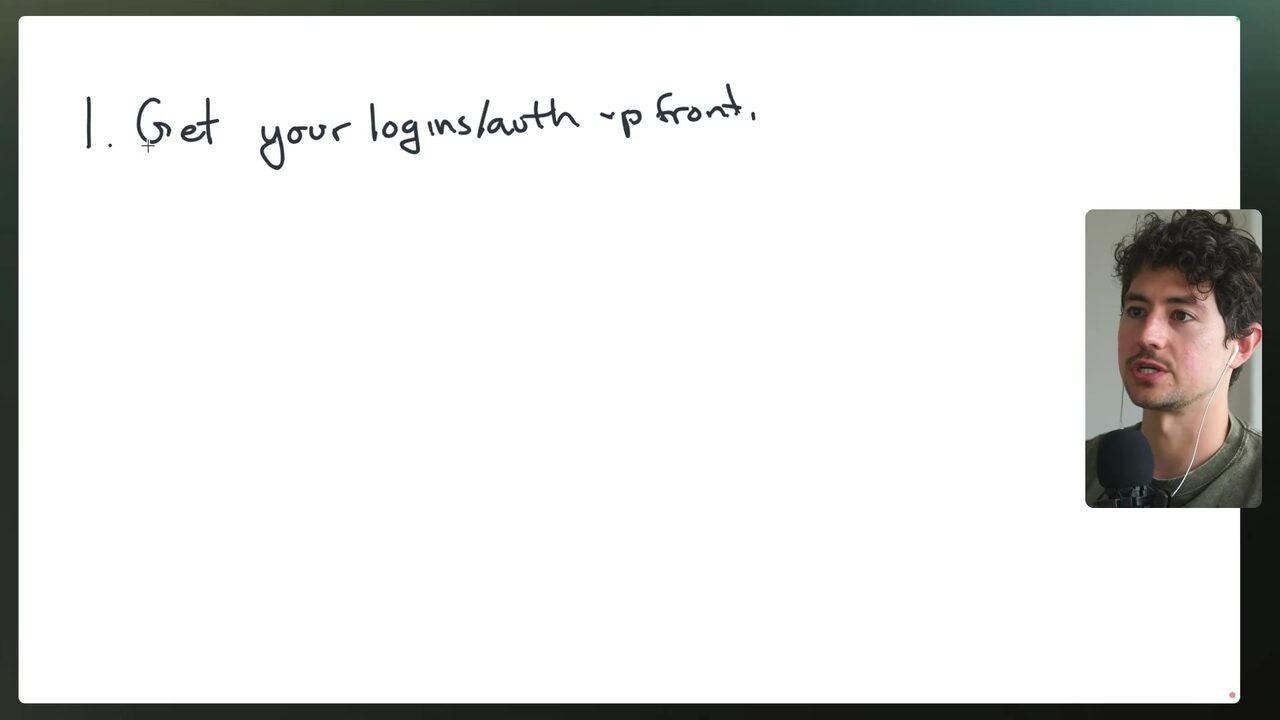
When a build goes live, the real product is what happens while nobody is watching. The speaker opens the course's final stretch by framing maintenance as “wholesale making this better basically every time you run it” — upgrading and repairing the system is part of the ongoing deliverable, not an afterthought 5:35:45. His first rule for anyone maintaining systems for a client or another business: get all authentication credentials upfront, before anything else 5:36:41. The reason is arithmetic: logins and authentication account for roughly 70% of every maintenance request he has ever had — a personal estimate, flagged for verification against your own book of business 5:36:15. The canonical failure is a loop: a service such as Gmail upgrades, a connector breaks, the client concludes the system is dead, a call lands in the middle of the night, and the rescue is a re-authentication plus a last-second hack 5:36:41. Holding the core or root login is less security-optimal than holding no credentials at all, but it exchanges panic for agency — it is what lets the model run a debug flow, logging into the affected service, navigating to the relevant spot, and regenerating the API key on its own 5:37:21.
Why does the speaker put logins and authentication first when maintaining automation for a client?
Store credentials where the model can reach them
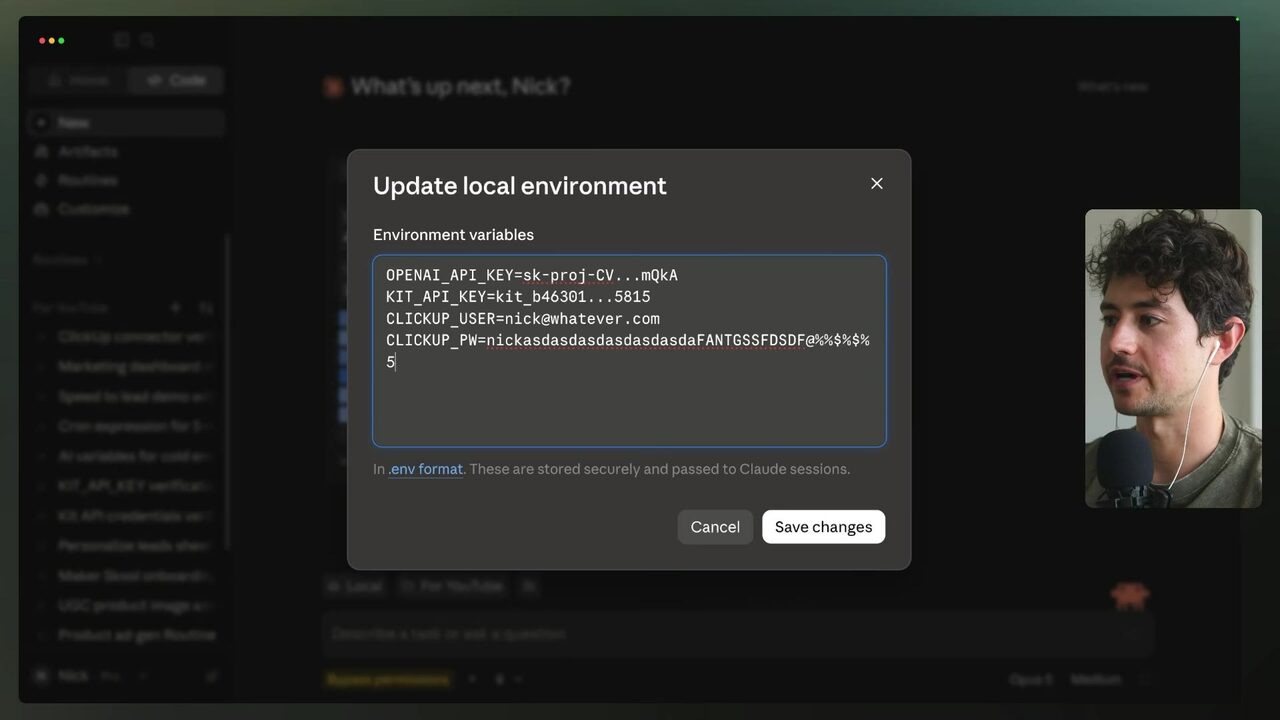
The home for those credentials inside Claude is the local environment: New → local environment has a section for storing keys, and the same section holds usernames and passwords such as clickup_user and clickup_pw 5:38:53. The pattern extends to any connector or API integration: in a cloud routine or local loop, add a line saying that if a tool ever has an outage or issue, the model should log in via the stored credentials, navigate to where the relevant account lives, and regenerate the API key 5:38:53. That line only works because modern models have browsers — Claude, when developing a website, opens a little browser on the right-hand side, and it can legitimately use that browser to log into services for you 5:39:23. Because recurring auth issues are the bulk of maintenance, the speaker says you have to let go of security-optimal practice and let the model operate the service itself; the environment variable store is exactly what makes the autonomous debug flow possible at all 5:39:23.
Where does the speaker store credentials such as clickup_user and clickup_pw for a routine to use?
Let the skill rewrite itself
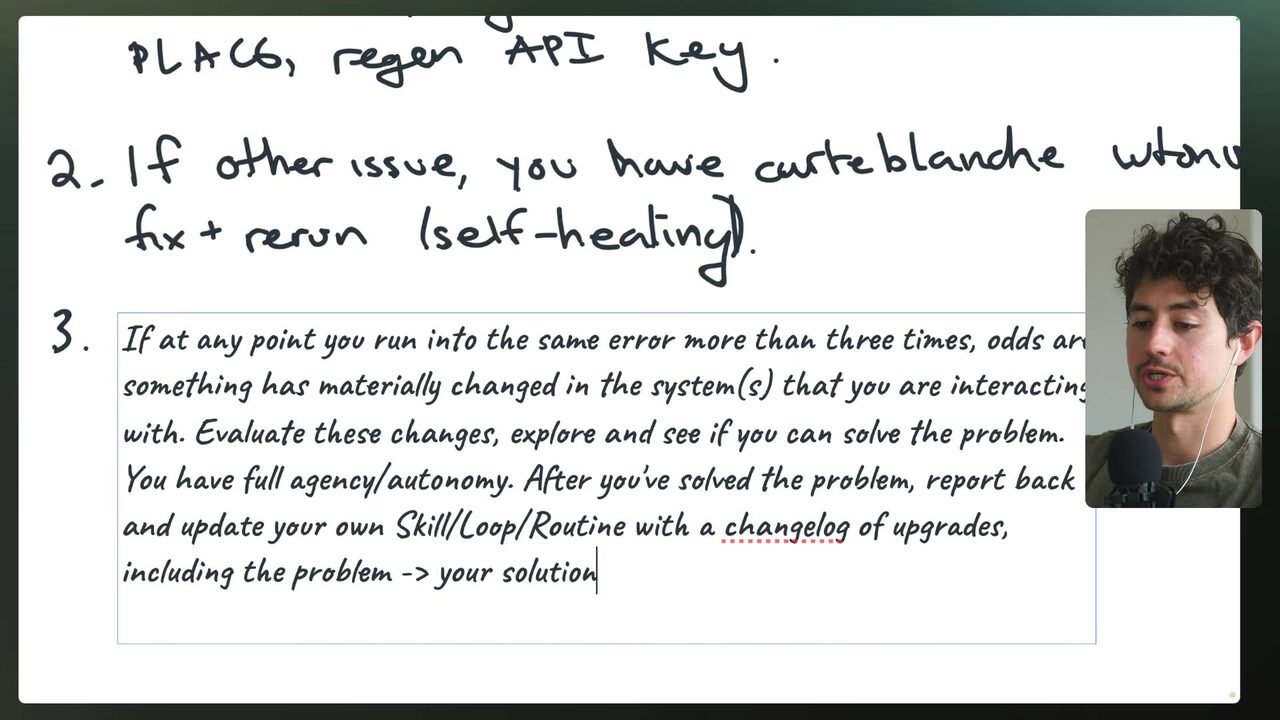
For the repair itself, the speaker recommends giving the model “basically total carte blanche autonomy” to fix the problem and then rerun the flow 5:40:29. Self-healing means giving AI systems the ability to rewrite their own instructions: if a step in the skill keeps failing, update that skill's instructions and try again 5:40:38. The guardrail is the three-strike rule — no endless retry of the same broken attempt. If you have tried this more than three times and it does not work, odds are there is an issue with the actual core service: a route may have changed or an API contract shifted; figure out what changed, update the route logic, and add a log of everything you did so future runs can succeed 5:40:38.
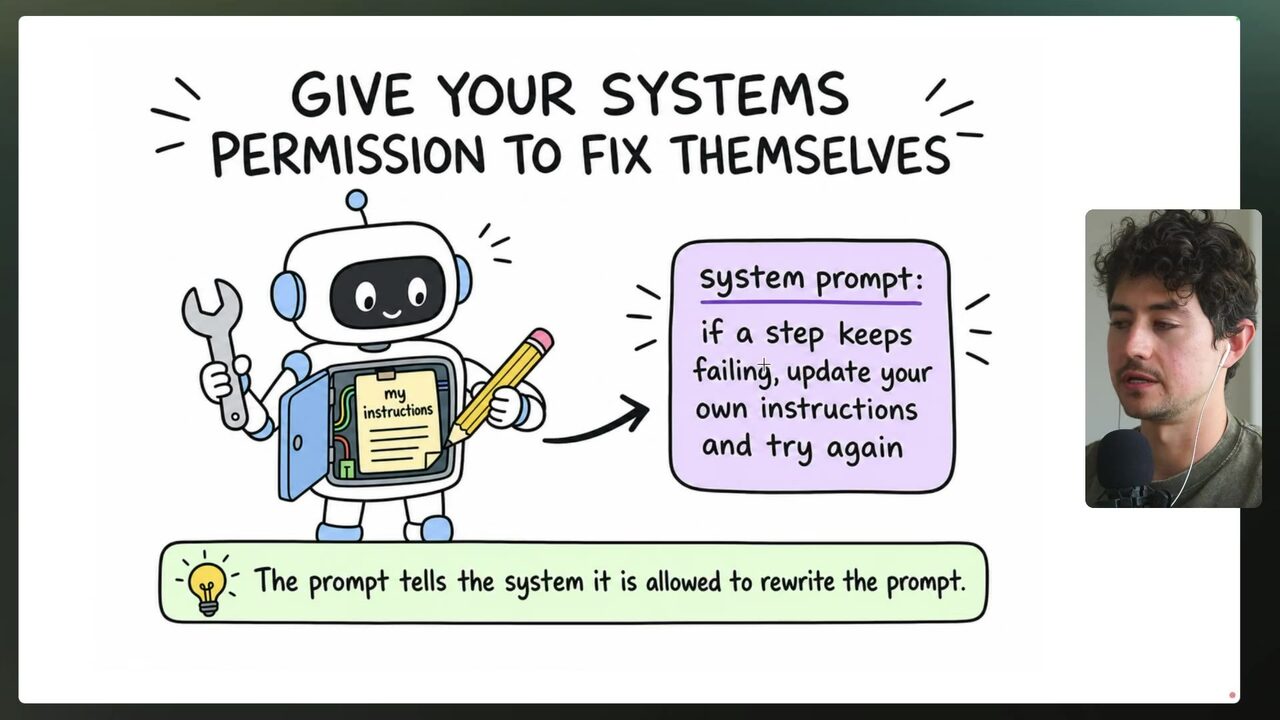
The speaker previously called this self-annealing; he now prefers self-healing, comparing it to Wolverine's body regenerating when he is slashed 5:42:09. The copy-paste instruction he says improves virtually every window: “if at any point you run into the same error more than three times, odds are something has materially changed in the systems you are interacting with. Evaluate these changes, explore, and see if you can solve the problem. You have full agency autonomy. After you've solved the problem, report back and update your own skill, loop, or routine with a change log of upgrades, including the problem, your solution, and then update the actual skill itself” 5:42:38. The discipline underneath is the changelog: append every subsequent fix so the skill keeps a breakdown of what happened and why 5:43:05. The honesty caveat: self-healing is not foolproof — too much autonomy has occasionally made the model change itself because of a spurious rate limit and then make a mistake, but that is less common than the model hitting a temporary issue and simply giving up 5:43:05. The point of the hierarchy is hands-off operation: 5,000 years ago the leap was from weaving baskets by hand to monitoring and improving the basket-weaving machine; now the machine can clean itself and fix minor bugs — that is self-healing automation 5:44:36.
Per the speaker's self-healing instruction, what should happen after the same error appears more than three times?
Log failures where humans look
The second maintenance pillar is error logging. Old-school drag-and-drop platforms such as Make.com automatically log every change, display errors and incomplete executions physically on the flow diagram, and can send email or push notifications when something fails; n8n (raw transcript: 'N8') provides similar visibility through tickets, error-logging flows, and emails 5:44:36. Agent systems moved too fast to inherit any standardized observability, so the speaker's minimum for every routine that runs his business is the ability to log errors to a de facto error channel in the workspace 5:46:07. An error channel is a dedicated chat channel — WhatsApp if the business works in WhatsApp, Slack if Slack, Discord if Discord — where error notifications are dumped so every person in the organization can see what failed 5:46:07.
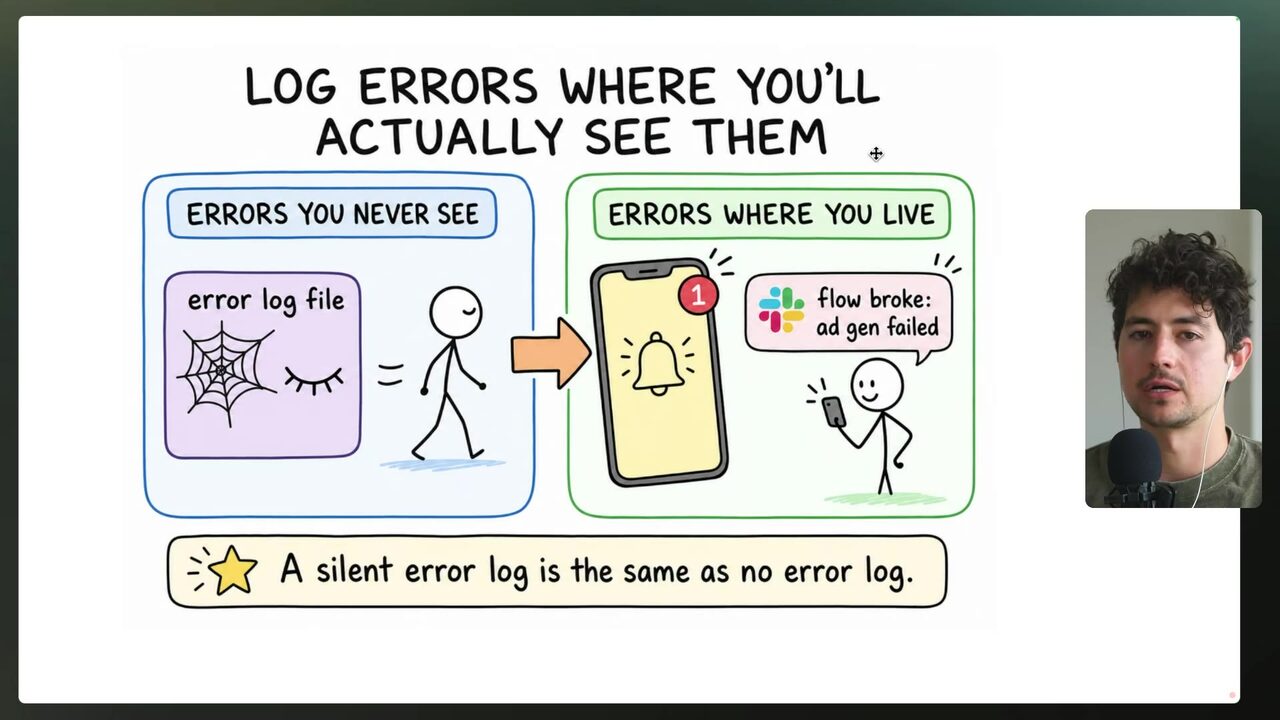
Weave self-healing into the log: record “error with XYZ, tried XYZ to fix, succeeded or failed” so the whole organization has top-to-bottom visibility into processes 5:47:32. The Claude Code wiring is concrete: connectors → add Slack → at the bottom configure “if you have any errors send the error notification to the #errors Slack” 5:47:32. The speaker creates the channel as public for the demo — because a channel nobody looks at might as well not exist — though his real one is private 5:49:06.
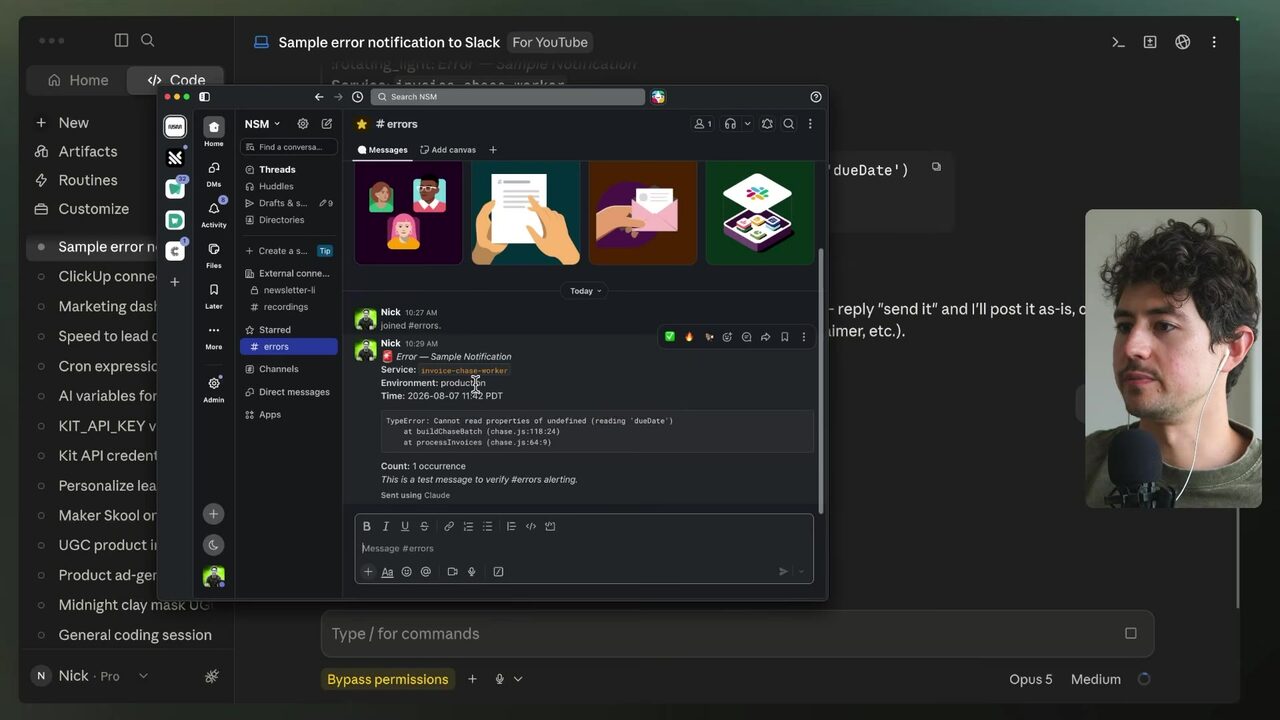
Where does the speaker say error notifications should be dumped so failures are actually seen?
Every routine gets three guarantees
With the channel live, the routine gets the instruction. The speaker tests by asking Claude to send a sample error to errors-public, then asks for all the info needed so it does not have to search the channel again — “give me all the info to ensure you don't have to search this channel up again” — and pastes that verbatim into the routine prompt 5:50:37. In the routine “Maker school daily ads batch” he adds the Slack notification instruction — “for the sake of this demo, I want you to pretend there was an error in the flow, then report to Slack” — and saves 5:50:37. Routine runs are slower than a local Claude Code session, and you can watch them from the run log: after running you see “today at 10:30 a.m.”, the first action clones the repository, then it initializes the session 5:50:37. You can also add a setup script that runs every time the routine loads, bundling environment variables and extra information 5:50:37.
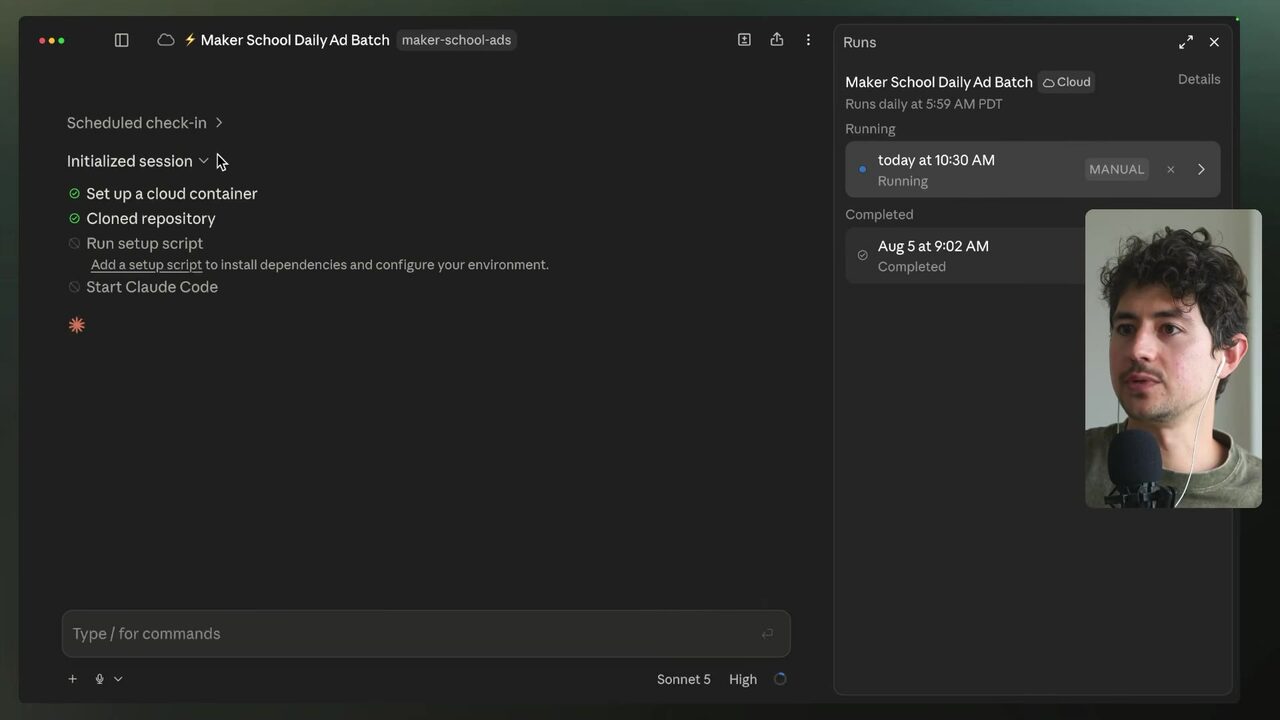
The demo then produces the real thing: Claude generates the ad batch, uploads to Drive, and a genuine error appears in #errors — Drive upload blocked for the Maker School ad batch, because the bulk upload of the PNGs plus the contact sheet HTML stalled; the Drive connector only accepts a single-call base64 limit 5:51:12. With observability in place, that routine failing at 5:59 a.m. gives you until 8 a.m. — roughly two hours — to fix it before the person who needs the output arrives; without logging, you lose the window and the employee's deliverable slips five or six hours 5:52:08. The speaker treats these systems as highly autonomous agents that can rewrite their own code if needed 5:52:08 — so the contract for every system you ship is: stored auth and a debug-flow line, a self-healing block with the three-strike rule and a changelog, and a live error channel where the client actually works. The strategic reason sits at the top of the speaker's advanced tips: effectiveness beats efficiency — efficiency is doing things fast and cheap, effectiveness is doing the right things and allocating resources where they move the needle, which is exactly why this maintenance layer exists: to keep the machine running so human attention lands where it pays 5:53:39.
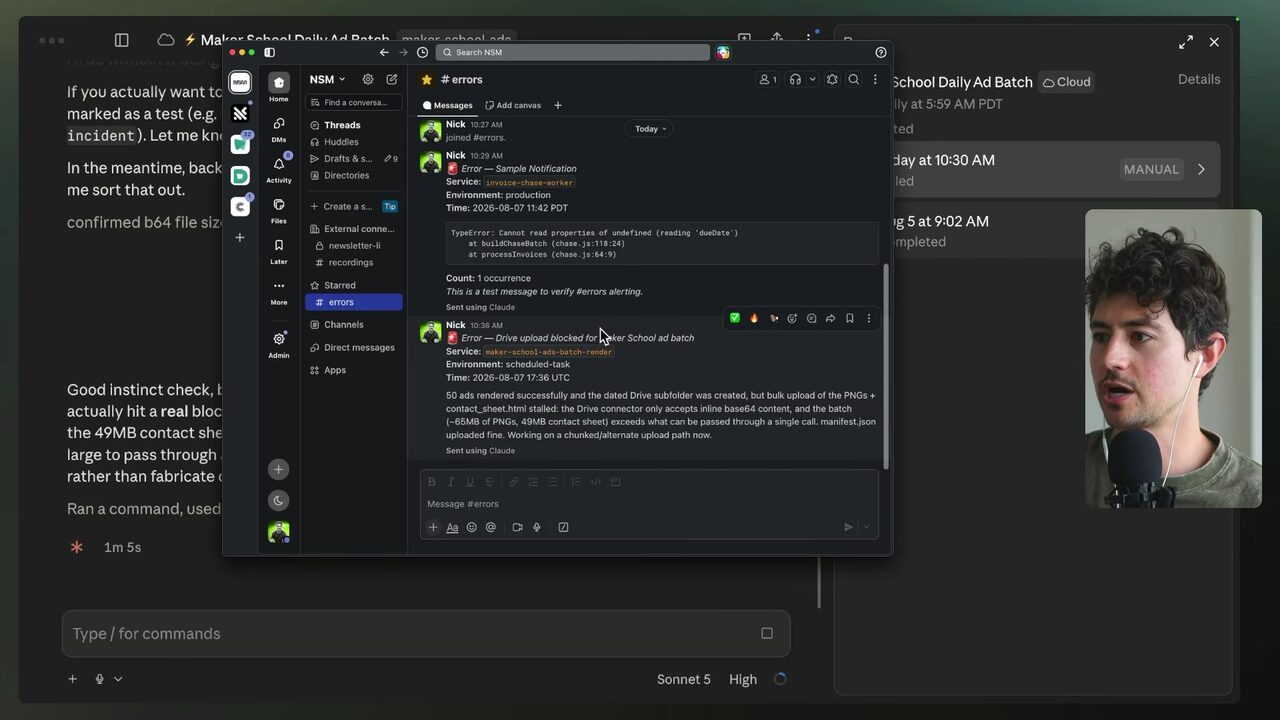
Why does a routine failing at 5:59 a.m. buy real operational time when logging works?
Your score
One-sentence summary
Routines stay alive when nobody is watching because authentication lives in the local environment, the skill rewrites itself after three strikes, and every failure is dumped into an error channel humans actually look at.
Glossary
Every term marked with a dotted underline above. Skim it, or search the page for a word.
Ideas worth stealing into your own setup
Proposals, not done deals: nothing gets added to your system until you choose it.
01 Auth-first client onboarding checklist
- Saw
- Get all login and authentication credentials upfront before anything else.
- Why
- Anthony's agency can turn the most common maintenance incident (auth) into a debug flow instead of a middle-of-the-night client call.
- Form
- template / client onboarding checklist
- Source
- 5:36:41 in the video
02 Standard self-healing block
- Saw
- After you've solved the problem, report back and update your own skill, loop, or routine with a change log of upgrades.
- Why
- Append the three-strike autonomy instruction plus changelog to every client skill so fixes compound across runs instead of recurring.
- Form
- copy-paste instruction block for every skill
- Source
- 5:42:38 in the video
03 #errors channel standard
- Saw
- if you have any errors send the error notification to the #errors Slack
- Why
- Every delivered routine gets a visible error channel in the client's workspace so failures are seen and fixed the same morning.
- Form
- deployment checklist standard
- Source
- 5:47:32 in the video